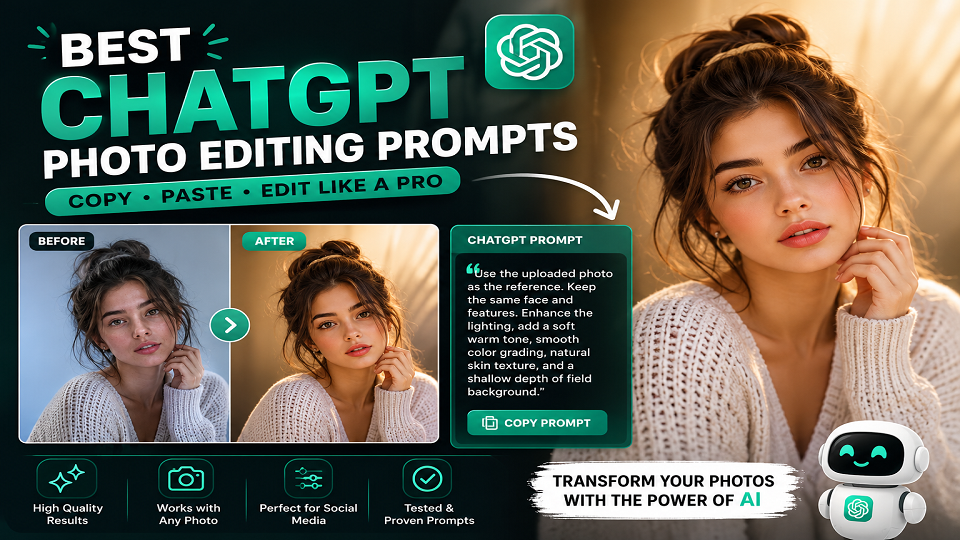
Best ChatGPT Photo Editing Prompts (Tested with GPT Image 2)
The first time I tried using ChatGPT as a photo editor, I typed “make this photo look better” and genuinely expected something impressive. What I got back was basically a text description of the photo I’d just uploaded. The AI had narrated my own image back at me. Badly.
Felt a bit stupid, honestly, after that one. But it taught me more than the ten tutorials I’d already read: your output is only as good as your input. Not the tool. Not the model version. The prompt.
I’ve now run close to sixty prompts through GPT Image 2 since OpenAI launched it on April 21, 2026 (ChatGPT users got access the next day), and the gap between a lazy one-liner and a properly structured prompt is honestly bigger than I expected going in. GPT Image 2 follows detailed natural-language edits with a level of precision earlier versions just didn’t have – but it needs something specific to work with. Feed it vibes, get vibes back.
Below are the exact prompts I use, sorted by what I was actually trying to make – portraits for girls, cinematic looks for guys, text overlays, background swaps. I’ve flagged where each one tends to break, because none of these are magic; they just fail less often than the generic versions floating around Pinterest.
Quick answer: the best ChatGPT photo editing prompts follow this order – Identity Reference → Subject Description → Outfit/Style → Setting → Lighting → Camera Details → Preservation Instructions. Skip a step and ChatGPT fills the gap with its own guess, which is rarely the one you wanted.
How ChatGPT Image Editor Actually Works (and why it matters for your prompt)
Quick thing before you copy-paste anything below – it’ll save you a lot of confused regenerating later.
GPT Image 2 doesn’t touch pixels the way Photoshop does. No layer, no mask, no undo history sitting on your original file. What it actually does is treat your uploaded photo as a reference and build a brand-new image around your instructions, trying (not always succeeding) to keep whatever you told it to keep.
That’s the whole reason vague prompts go sideways. “Make it look cinematic” leaves ChatGPT guessing at lighting, color grade, composition, and what parts of your face it’s allowed to touch. Guess wrong on any one of those and the output looks off in a way that’s hard to even describe.
Compare that to something like: “Sony A7IV, 85mm f/1.8, teal and orange grade, preserve face and hair exactly, soft shadow under the jaw, bokeh background at original depth.” Now it has actual rules. The difference in output is not subtle – I’d say it’s the single biggest lever you have.
A few other tabs I usually have open while testing, for what it’s worth:
- Adobe Firefly – when the image needs to be commercially safe
- Ideogram – anytime text has to sit inside the image cleanly
- Canva AI – fast, low-effort social edits, not much control
- Pika Labs – turning a still into a short clip afterward
ChatGPT Photo Editing Prompts for Girls – Portrait & Aesthetic Styles
Built these for portraits and selfies mainly. A few different looks, all of them doing well on Instagram and Pinterest right now – not sure why these specific aesthetics, but here we are.
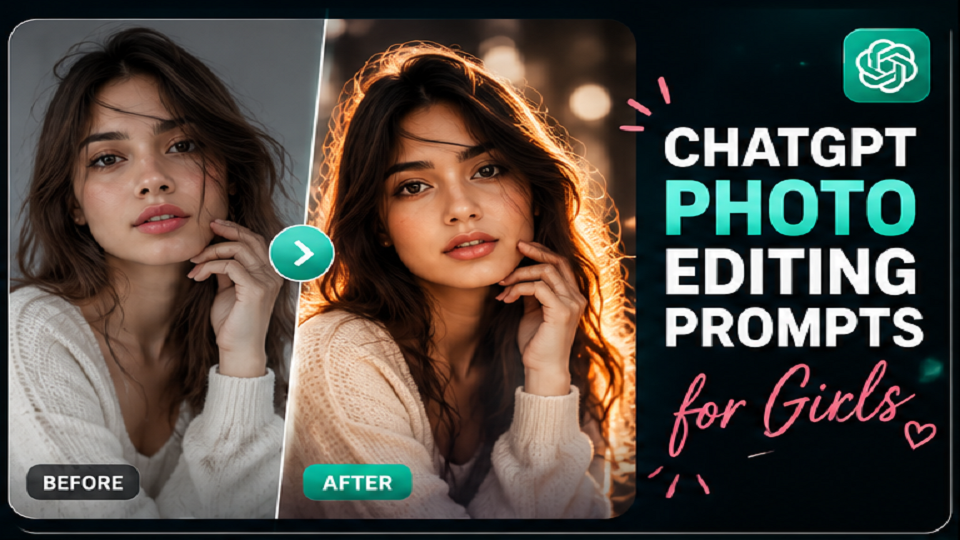
Soft Editorial Portrait – Natural Light Studio Feel
“Use the uploaded photo as the facial identity reference – preserve her exact face shape, skin tone, eye color, lip shape, and hair texture without any alteration. Re-render this as a soft editorial portrait. She is wearing a fitted ivory linen co-ord set with loose wide-leg trousers and a structured cropped jacket, sleeves rolled to mid-forearm. Setting is a clean minimal studio with an off-white seamless backdrop and one large softbox light positioned at 45 degrees to her left. The light wraps softly across her face with a gentle shadow on the right cheek. Hair falls naturally over her left shoulder. Expression is calm and direct, slight natural smile with lips relaxed. Shot on a 50mm f/1.4 lens, shallow depth of field, background completely smooth and detail-free. Natural skin texture throughout – visible pores, no skin smoothing, no beauty filter applied. Color grade is clean and warm, slightly lifted shadows, soft warm highlights. Portrait editorial quality, 3:4 vertical aspect ratio.”
Worked on the first try for me maybe half the time. When it doesn’t, it’s almost always the jaw shadow – comes out too heavy. Adding “subtle shadow, not dramatic” fixes it.
Golden Hour Outdoor Portrait – Warm Cinematic Aesthetic
“Facial identity locked to the uploaded reference – same features, same skin, same hair, zero changes to the face. Render this as a golden hour outdoor portrait. She stands in a wide open field with tall golden grass in the background, facing the camera with her body turned slightly to the right. She wears a flowy rust-colored midi dress with thin straps and a subtle floral print. Her hair is loose and slightly windswept. The sun is positioned low behind and slightly to the left of the subject, creating a natural backlight rim effect across her shoulder and hair with soft warm bokeh in the background. Face is lit by reflected warm light from the right. Shot on a 70mm lens at f/2.2, subject sharp, background golden bokeh. No color filter applied – natural warm tones from the ambient light. Skin texture realistic and natural, visible fine hair strands catching the backlight. Cinematic lifestyle photography, 3:4 vertical aspect ratio.”
This is the one people ask me about the most, probably because backlight is hard to describe in words and this prompt happens to nail it more often than not.
Pastel Aesthetic for Instagram – Soft Girl Style
“Use uploaded photo as strict face reference – preserve every facial feature exactly as shown. Transform this into a soft pastel aesthetic portrait. Setting is a cozy bedroom with blush pink walls, a white rattan chair, and scattered small houseplants on a wooden shelf behind her. She wears an oversized pastel lavender hoodie with light grey sweatpants and white socks, relaxed and casual. She sits in the chair with her knees pulled slightly up, hands wrapped around a pastel yellow ceramic mug. Expression is soft and dreamy, eyes slightly downcast. Natural diffused morning light coming through a large window on the left, soft and even, no harsh shadows. Shot on a 35mm lens, slight film grain, slightly muted pastel color grade with lifted blacks. Realistic skin texture, natural lip color, no heavy makeup rendered. Soft girl aesthetic, cozy and warm, Instagram-ready framing, 3:4 vertical aspect ratio.”
ChatGPT Photo Editing Prompts With Text – Quotes and Overlays
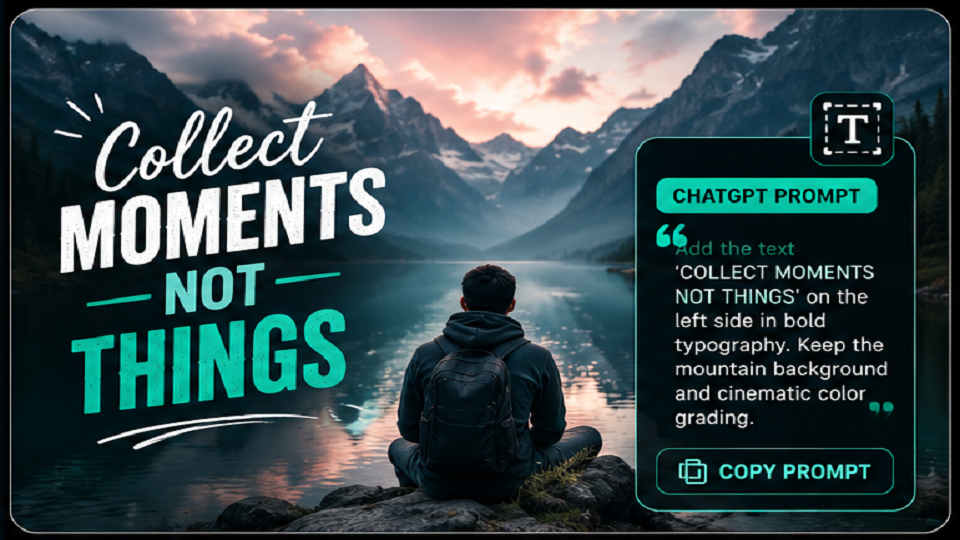
Getting readable text baked into an AI image is possible now, but it’s the least reliable part of this whole workflow. Here’s the structure that gives the fewest garbled letters:
“Use the uploaded photo as the facial identity reference – preserve face exactly. Generate a cinematic portrait with a clean text overlay. She stands against a smooth dark charcoal wall, wearing a white oversized blazer over a black minimal top. Soft directional light from the upper left. Shot on 50mm lens, slightly blurred background. After generating the portrait, overlay the following text at the bottom third of the image: ‘[Your Quote Here]’ in thin elegant serif font, white color, slight transparency, centered alignment. The text should feel like a magazine caption – minimal, refined, not heavy or decorative. Do not let the text overlap the face. Realistic skin texture, natural lighting, 3:4 vertical.”
Honestly, even with this exact prompt, I still had to regenerate 3-4 times before the letters weren’t warped. If typography actually matters for what you’re making, don’t fight ChatGPT on this – use Ideogram instead. It was built specifically for text-in-image and it shows.
ChatGPT Photo Editing Prompts for Boys – Cinematic Portrait Styles
Same rules apply, just different settings. These skew moodier – darker grades, harder edges, that kind of thing.
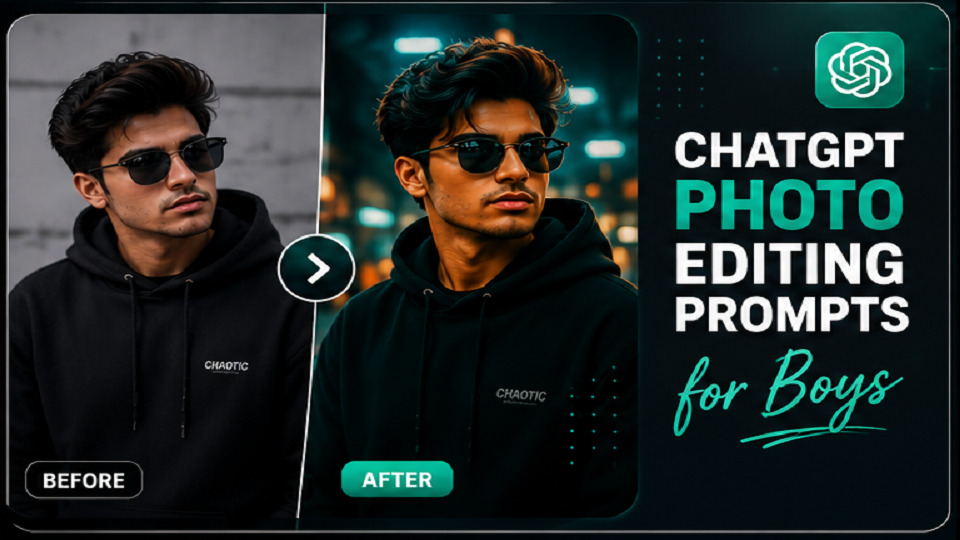
Rooftop Evening Portrait – Urban Moody Aesthetic
“Face completely faithful to reference photo – same jawline, skin tone, beard, eye shape, expression, nothing changed. Render this as a rooftop evening portrait. He stands near the edge of a city rooftop with the urban skyline visible in the blurred distance behind him. He wears a structured dark navy blazer over a plain black crew neck, slim-fit charcoal trousers, and clean black leather loafers. His right hand is tucked into his trouser pocket, left hand hanging relaxed. He looks directly into the camera, expression steady and composed. The sun has just set – the sky behind him is a gradient of deep blue and faint orange at the horizon. City lights beginning to glow in the background bokeh. Shot on a 35mm lens at f/1.8, subject sharp, city lights rendered as soft circular bokeh. Natural skin texture throughout – visible stubble detail, pores visible under the nose, no skin smoothing. Cool-toned color grade with warm golden city light rim on the shoulders. Cinematic male portrait, 3:4 vertical.”
Cafe Interior Portrait – Warm Lifestyle Aesthetic
“Facial identity locked 100% to uploaded reference – same features, skin, hair, beard. No alterations. Render as a warm lifestyle portrait inside a specialty coffee cafe. He sits at a small round wooden table near a large window, one arm resting on the table, the other holding a coffee cup loosely. He wears a camel brown corduroy overshirt layered over a white ribbed crew neck, dark straight-fit jeans, and clean white sneakers. The cafe behind him shows wooden shelving, warm Edison bulb lighting, a chalkboard menu on the brick wall, plants on the windowsill. Natural morning light falls through the window across his face from the left – soft, warm, slightly directional. Expression is relaxed, looking directly into the camera with a natural easy expression. Shot on a 50mm lens, shallow depth of field, cafe interior softly blurred. Realistic skin texture, visible pores, natural stubble. Warm lifestyle photography, film-like color grade, 3:4 vertical.”
This one’s my personal favorite of the batch – the Edison-bulb detail specifically seems to nudge ChatGPT toward warmer, more accurate ambient lighting than if you just say “cafe lighting.”
Streetwear Editorial – Dark Minimal Aesthetic
“Every facial detail locked to the reference – same bone structure, skin tone, eyes, beard, expression. No changes. Render as a streetwear editorial portrait. He stands against a clean matte black painted concrete wall in an empty urban alley. He wears an oversized black graphic hoodie from a premium streetwear label with wide-leg black cargo trousers and chunky black platform sneakers. His arms hang relaxed at his sides, posture grounded. He looks directly into the camera with a calm, unbothered expression. Hair slightly textured and natural. Lighting is flat and even – a large softbox directly in front creates no shadows, giving a clean editorial look with full detail visible on the outfit texture. Shot on a 35mm lens, slight grain. Color grade is fully desaturated – black, white, and dark grey only, monochrome editorial aesthetic. Visible stitching on the hoodie, realistic skin detail under the hood shadow. Hyper realistic male portrait, streetwear editorial finish, 3:4 vertical.”
The Formula Behind Every Prompt Here
Lost count of how many of these I’ve run at this point. This is roughly the order I go through in my head before hitting send – not after something’s already gone wrong.
- Identity lock, always first. “Use the uploaded photo as the strict facial identity reference – preserve exact face shape, skin tone, eye color, hair texture without any alteration.” Skip this one and the face quietly drifts with every regeneration. Three tries in, it’s not really the same person anymore, and you won’t notice until you compare side by side.
- Subject and pose. What are the hands doing? Where’s the weight sitting? Which way is the body turned? “Standing naturally” means nothing to a model – it’ll just invent something, and probably not what you had in mind.
- Outfit, fabric and all. “Stylish jacket” is basically a coin flip. “Camel corduroy overshirt with front button detail and rolled sleeves” reads the same, run after run.
- Setting. Materials, colors, distance – that level of detail. “A brick wall” is generic. “A warm terracotta brick wall, visible mortar lines, ivy creeping up the upper left corner” is an actual place.
Lighting’s the big one though.
- Lighting direction. Probably matters more than everything else on this list combined. Where’s it coming from, how hard or soft is it – “soft morning light from the left window” and “flat softbox directly in front” are not the same photo, not even close.
- Camera and lens. 50mm f/1.4 for shallow bokeh, 35mm f/8 for deep focus. ChatGPT isn’t actually simulating optics here, obviously – but it clearly treats these numbers as real style cues.
- Skin texture. Always add it: “Natural skin texture throughout – visible pores, no skin smoothing, no beauty filter.” Skip this line and you get that plastic, over-processed AI-skin look. Almost every single time.
- Aspect ratio. Last thing, easy to forget. 3:4 vertical for Instagram/Pinterest, 1:1 for a profile photo, 16:9 if it’s going on YouTube.
ChatGPT vs Other AI Image Tools for Photo Editing
| Tool | Best For | Free Tier | Text in Image | Face Preservation |
| ChatGPT (GPT Image 2) | Detailed portrait editing | Limited | Inconsistent | Good, with a strong prompt |
| Adobe Firefly | Commercial-safe images | Monthly credits | Decent | Limited |
| Ideogram | Text inside images | Daily limit | Excellent | Basic |
| Canva AI | Quick social edits | Generous | Yes | Limited |
| Pika Labs | Turning images into video | Limited | No | Good |
For more on complementary tools, see our Best AI Tools guide and Best ChatGPT Prompts on TechExploria.
FAQ
Why does the face keep drifting from my original photo?
This is the most common complaint I hear, and I’ve hit it plenty myself. Put this at the very start of the prompt: “Facial identity locked 100% to reference - same face shape, skin tone, eye shape, beard/hair exactly as uploaded, no changes to any facial feature.” Also worth running it 2-3 times - results vary noticeably between generations, even with an identical prompt.
What’s the best ChatGPT prompt for Instagram specifically?
Warm lifestyle portraits, natural light, 3:4 vertical - that combination has been the most reliable for me. Add natural skin texture, shallow depth of field, warm grade. For Reels covers, stronger directional lighting and a more cinematic grade tends to do better. And don’t over-stuff the prompt - three or four strong visual details usually beat ten mediocre ones.
Can I add text to images with ChatGPT?
Yes, but treat it as a coin flip rather than a feature you can rely on. For anything where the typography actually needs to look clean, use Ideogram - it was purpose-built for text inside AI images and it’s just better at it.
Do these prompts work on Gemini too?
Mostly, with small tweaks - swap out camera-model references and adjust the skin-texture line slightly. We cover Gemini’s specific handling of facial reference preservation in our Gemini AI Hairstyle Prompts guide, if you want the details.
Final Word
The gap between a ChatGPT edit that reads as “AI image” and one that reads as a real photograph comes down almost entirely to how precisely you describe what you want.
Start with the identity lock. Name the fabric, not just “an outfit.” Say where the light’s coming from. Give it a lens. End with the skin texture line. Run it two or three times and keep the strongest one – don’t expect the first output to be the keeper.
Treat everything above as a starting point, not a script. Swap the outfit, change the setting, flip the lighting direction – the formula holds, the result changes with it.
For more AI tool guides and honest reviews, visit TechExploria.com – and drop your results or questions in the comments.




1 comment