Is Spotify Down? How to Check and Fix It (2026)
Quick answer: Check Downdetector and @SpotifyStatus on X. If both look normal, the problem is probably your device, app, or connection, not Spotify’s servers.
No article can show Spotify’s live status. This guide helps you tell a real outage from a local problem, understand Spotify’s vague errors, and fix the most common issues yourself.
Is Spotify Down Right Now? Real Outage or Just You?
This is honestly the question worth figuring out first, since the fix you need changes completely depending on which one it turns out to be.
A genuine, widespread outage usually has a pretty recognizable shape to it – a sudden spike of reports on Downdetector, Spotify actually saying something on their X account, and the problem showing up on more than one device you own at roughly the same moment, so your phone and your laptop and maybe even a smart speaker are all acting up in the same broken way at once. See that pattern and there’s really not much to fix on your end; it’s mostly a matter of waiting it out.
A local problem tends to look nothing like that at all. Usually it’s just the one device misbehaving while everything else keeps working fine, Downdetector’s sitting there showing normal activity, and Spotify’s account isn’t saying a word about any issue. That combination points toward your own connection, your app install, or your account specifically, and that’s the kind of thing you can usually sort out yourself in a few minutes rather than something you just have to sit through.
Common Problems at a Glance
| Symptom | Likely Cause | Quick Fix |
| “Something went wrong” error | Local glitch or connection drop | Restart the app, check connection |
| Songs grayed out | Regional licensing restriction | Check if you’re on a VPN or traveling |
| Search broken, playback fine | Search-specific bug | Usually clears on its own; try restarting |
| App crashes on open | Corrupted cache | Clear cache or reinstall |
| Works fine on phone but not laptop | Something’s off with that one app install | Try Spotify Web Player to narrow it down |
| Playback stutters only on mobile data | Likely a network issue | Switch to Wi-Fi and see if it changes anything |
What Those Vague Error Messages Are Actually Telling You
Spotify almost never spells out plainly what’s actually wrong, which is exactly where most people end up stuck, guessing.
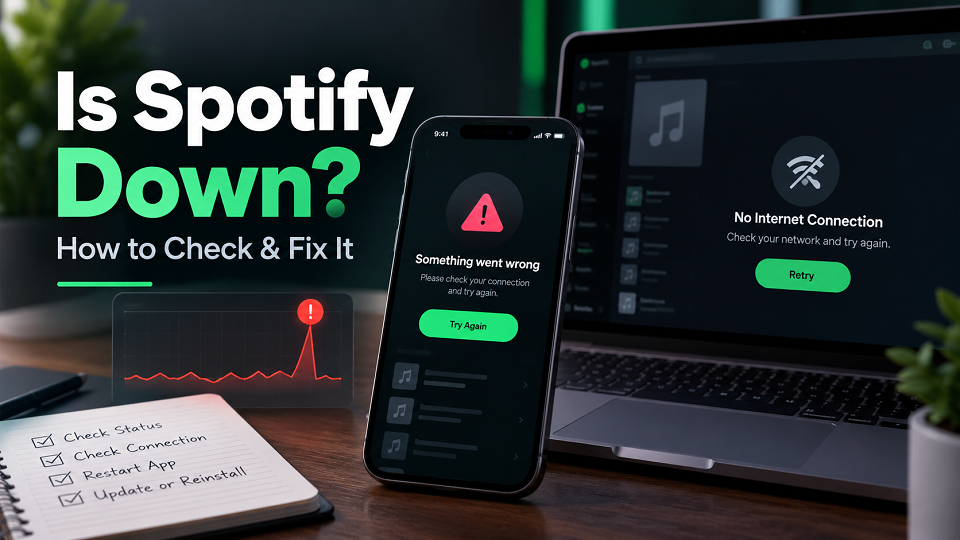
“Something went wrong” is the app’s catch-all, and honestly it could mean just about anything – a tiny local hiccup, a server having a brief moment, a connection dropping mid-request before it finishes. Best to treat it less like a diagnosis and more like a nudge to work through the basic fixes further down before jumping to conclusions about what’s actually broken.
Grayed-out songs are usually not a bug. They are most often a licensing restriction. Spotify’s catalog isn’t the same everywhere, so a track that plays without issue at home might just not be licensed wherever your connection happens to be routing through at that moment, which comes up a lot if you’re running a VPN or traveling somewhere the song simply isn’t cleared.
Search coming back empty while the music still plays fine is usually its own smaller, separate glitch.An app that crashes the second you open it is generally pointing at a corrupted cache, or sometimes just a version that’s overdue for an update – both of which the next section actually walks through.
Fixes Worth Trying Before You Blame Spotify
These cover the large majority of “it just isn’t working” situations people run into, and they’re worth working through before assuming the problem’s out of your hands entirely.
Start by checking your actual connection, and not just whether Wi-Fi shows as connected on your phone, but whether other apps and sites are loading the way they’re supposed to as well – if nothing else is working either, there’s your answer right there, and nothing Spotify-specific is going to help until that connection’s sorted.
From there, try restarting the app properly rather than just minimizing it, which on mobile means actually swiping it away from your recent apps rather than tapping the home button and calling it done.
Clearing the cache helps too, and on Android that’s Settings, then Apps, then Spotify, then Storage, then Clear Cache. On iOS, open Spotify, go to Settings, then Storage, then Clear cache (if you don’t see it, reinstalling works too) – this tends to fix a lot of the stuck-loading and crash-on-open situations in particular.
Logging out and back in sounds almost too simple to actually matter, but it resolves more playback and sync weirdness than you’d expect, especially right after changing your password or logging into a new device somewhere else.
And don’t skip checking for an app update, since an outdated version is a pretty boring, a common cause of bugs that frequently already have a fix sitting in the app store waiting to be downloaded.
The Fix Tends to Depend on Which Device You’re Using
Spotify doesn’t misbehave the same way everywhere, so the right fix usually follows whichever platform you’re actually running into trouble on.
On the mobile app, iOS or Android, it mostly comes back to cache or connection stuff covered above, though it’s also worth toggling Wi-Fi off and back on, or switching between Wi-Fi and mobile data entirely – sometimes a flaky connection sorts itself out with nothing more than forcing a fresh handshake between your phone and the network.
If the desktop app’s the one acting up, open the Spotify Web Player at open.spotify.com in a browser as a quick diagnostic; if that works fine while the actual desktop app doesn’t, you’ve basically isolated the problem to that specific app installation rather than your account or anything on Spotify’s end, and a clean reinstall usually clears it up from there.
Smart speakers and other connected devices not showing up under Spotify Connect usually comes down to both devices not actually being on the same Wi-Fi network – and not just the same house, but literally the same network, since plenty of dual-band routers quietly split devices across 2.4GHz and 5GHz in ways that end up blocking discovery without anyone realizing why.
In the car, through Android Auto or CarPlay, it’s usually more of a Bluetooth or USB connection hiccup than anything to do with Spotify itself, so disconnecting and reconnecting the phone is worth trying before assuming the app’s actually at fault.
On Jio, Airtel, or Vi? Worth Checking Your Carrier First
On Indian carriers like Jio, Airtel, and Vi, a slow or unstable mobile connection can sometimes look like a Spotify outage: stuttering playback, songs that won’t load, or search that hangs.
Before putting the blame on Spotify, it’s worth switching over to Wi-Fi if you’re currently on mobile data, or the other way around, and just watching whether the problem follows you or stays put wherever you left it. If switching networks clears it up right away, the issue was never really Spotify’s servers to begin with – it was the connection the whole time, and Spotify just happened to be what you noticed first.
Frequently Asked Questions
Why does Spotify say “something went wrong”?
It’s basically Spotify’s generic catch-all error, and it could be a local glitch, a dropped connection, or every once in a while something actually happening on Spotify’s end - worth restarting the app and double-checking your connection before assuming it’s the worst-case scenario.
Why are some songs grayed out on Spotify?
Usually comes down to a licensing restriction tied to wherever you’re currently located, rather than being any kind of bug, and it tends to show up most with a VPN running or while traveling somewhere a particular track just isn’t licensed.
Does Spotify have an official status page?
Spotify posts service updates on its official @SpotifyStatus account on X. For known issues, check Spotify Support.
Why does Spotify work on my phone but not my laptop?
That kind of split almost always comes back to a local app or connection issue on whichever device is actually giving you trouble, rather than a Spotify-wide outage affecting everyone, so trying the Web Player on the affected device is a decent way to figure out if it’s the app itself or something going on underneath it.
Final Thoughts
Most of the time, when Spotify “goes down,” it turns out to be a local app glitch, a cache problem, or just a connection issue, rather than Spotify’s own servers actually being offline somewhere – genuine, widespread outages happen a lot less often than the sheer number of “is Spotify down” searches out there might make you think. Check Downdetector and Spotify’s X account first to rule a real outage in or out, and then work through the fixes above before deciding there’s nothing left you can do about it.
For more troubleshooting guides like this one, check our Tech Guides section.
Check Also >>> Is ChatGPT Down Right Now?