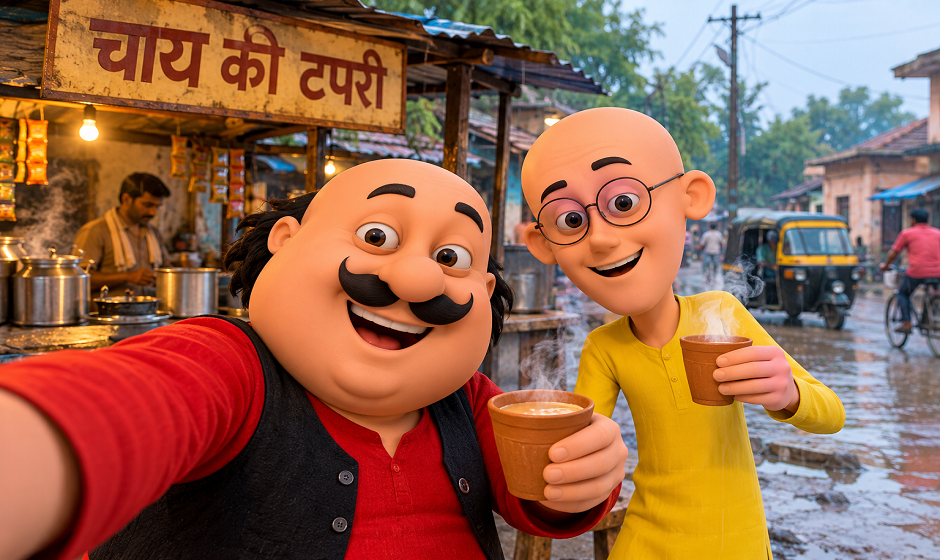
Prompt Seen Girl is a viral AI photo trend where you upload a selfie and a detailed text prompt turns it into a stylized, magazine-style portrait – think soft lighting, collage layouts, and cinematic color grading. It works on ChatGPT, Gemini, or dedicated apps like Dreamina. Below: how it actually works, which tool gives the most consistent results, ten original prompts you won’t find copy-pasted on every other site, and – something almost nobody covers – what happens to your photo after you upload it.
A quick note before you dive in: every prompt below was actually run through ChatGPT and Gemini using a real photo – the images you see next to each one are the actual results, not stock photos or mockups. If a prompt needed a couple of regenerations to get right, that’s mentioned too.
What “Prompt Seen” Actually Means
If you’ve scrolled Instagram or TikTok in the past few months, you’ve seen it even if you didn’t know the name: a normal selfie transformed into a polished, editorial-style portrait, often arranged as a collage with soft golden lighting, scrapbook textures, or a moody cinematic finish. The “prompt” part comes from how it’s made – a long, specific text instruction fed into an AI image tool alongside your photo, telling it exactly what lighting, outfit, pose, and layout to apply.
The trend isn’t one single look. It’s a whole family of styles – soft aesthetic portraits, Y2K flash photography, traditional festive collages, moody horror edits, and couple versions – all built on the same basic idea: your face, kept accurate, dropped into a completely different visual world. Interest in prompt seen trending girl content has climbed steadily as more people discover the format on their own feeds. If you’re new to AI photo editing in general, our ChatGPT Photo Editing Prompts That Actually Work guide covers the basics before you dive into this more specific trend.
Which AI Tool Should You Actually Use?
Every guide on this points you to “ChatGPT” and stops there. In practice, the tool you pick changes your results more than the prompt does – and if you’re specifically looking for a prompt for Gemini AI girl edits rather than ChatGPT, the wording actually needs slight adjustments since Gemini responds a little differently to layered instructions.
| Tool | Best for | Worth knowing |
| ChatGPT (GPT Image) | Realistic skin texture, accurate facial likeness | Free tier limits how many images you can generate per day |
| Google Gemini | Faster generation, good with multi-panel collages | Runs on Google’s “Nano Banana” image model under the hood – look for the 🍌 Create Images tool in the menu |
| Dreamina | Purpose-built for this exact trend, has trending prompts pre-loaded | Requires its own account, not just a prompt paste |
| Grok | Fewer content restrictions | Less consistent with facial accuracy across multiple panels |
If you only try one, start with ChatGPT – it currently holds facial likeness across multi-panel collages better than the others, which matters most for this specific trend. Gemini is worth trying as a second pass if your first result looks slightly “off,” and if you search specifically for google gemini ai photo editing prompts, most of what’s circulating right now is just the ChatGPT version copy-pasted without adjustment – which is part of why results disappoint people.
10 Original Prompt Seen Trending Girl 2026 Prompts
Every existing “Prompt Seen” article seems to recycle the same handful of prompts – golden hour, sunflower garden, saree collage. Here are ten that take the trend in different directions, built specifically for what’s actually working in 2026.
Rainy Window Portrait
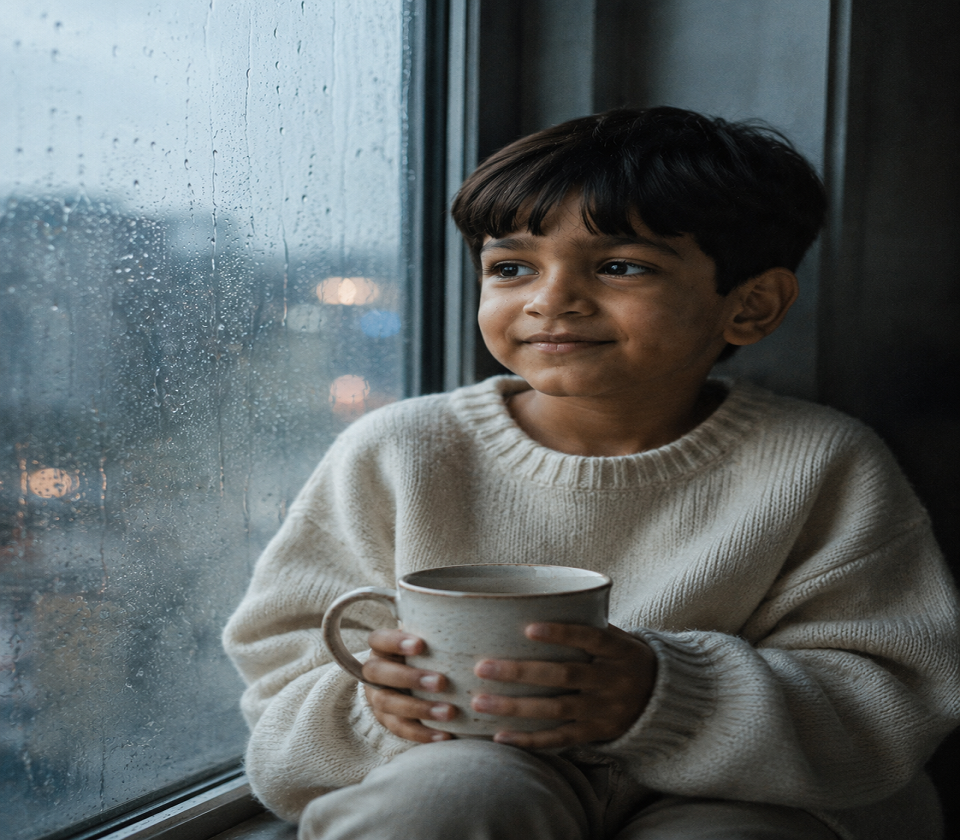
Ultra-realistic portrait using the uploaded face as the exact identity reference, no beautification. Subject seated by a rain-streaked window, soft blue-grey natural light, condensation blurring the background city lights. Oversized cream sweater, hands wrapped around a warm mug. Mood: quiet, contemplative, cinematic. Shallow depth of field, film grain, muted color grade – no golden tones, cool palette instead.
Test Result:
Library Aesthetic
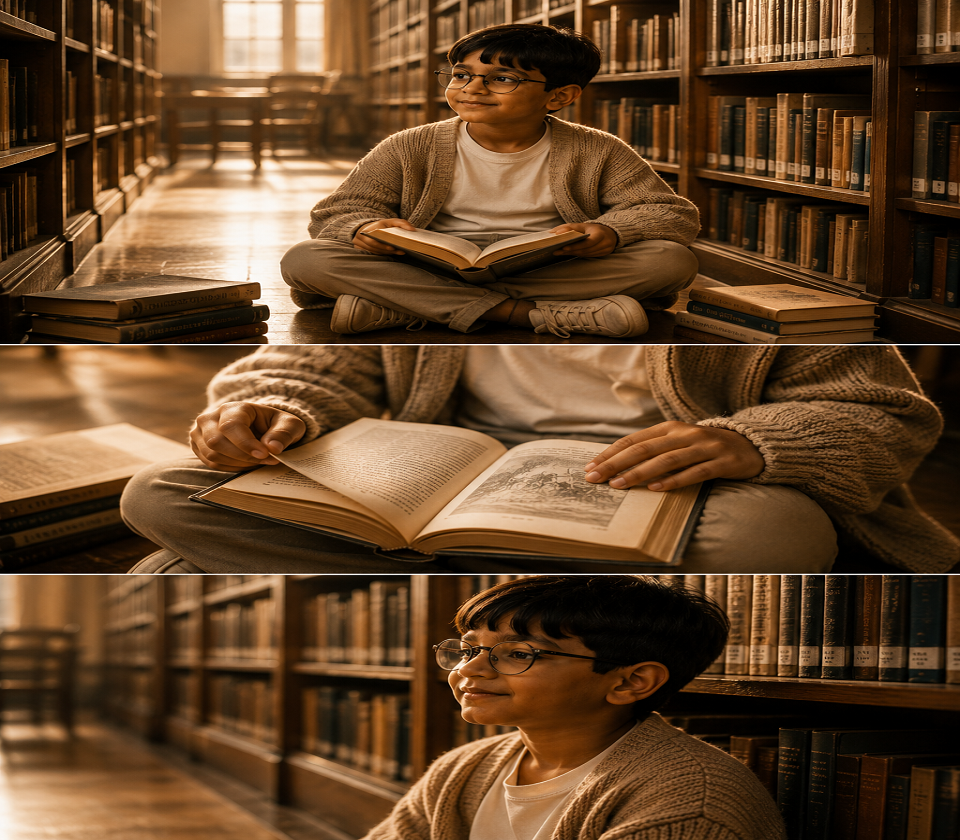
Same face as uploaded photo, unedited features. Subject seated cross-legged on library floor between tall wooden shelves, warm afternoon light cutting through dust particles. Oversized cardigan, round glasses optional, open book in lap. Three-panel vertical collage: wide shot, close-up of hands turning a page, side profile against the shelves. Warm amber tones, soft focus, editorial magazine feel.
Test Result:
Rooftop Golden Hour – Without the Saree
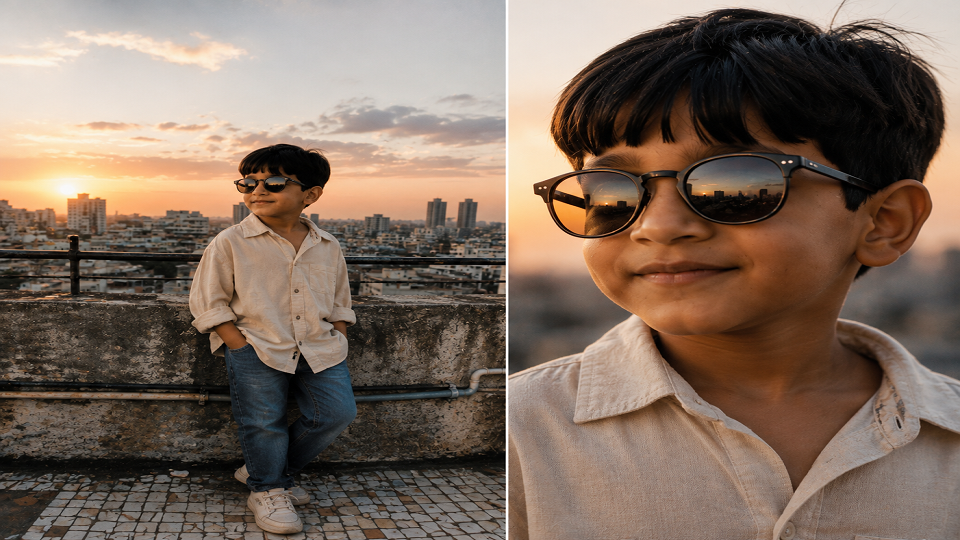
Uploaded face, identity locked, no smoothing. Subject standing on an urban rooftop at sunset, wind moving through hair, city skyline softly blurred behind. Casual oversized shirt, denim, sneakers. Single wide shot plus one close-up crop of the skyline reflected in sunglasses. Warm but not overexposed, natural grain, no scrapbook stickers or text overlays – clean, minimalist composition only.
Test Result:
Monsoon Street Candid
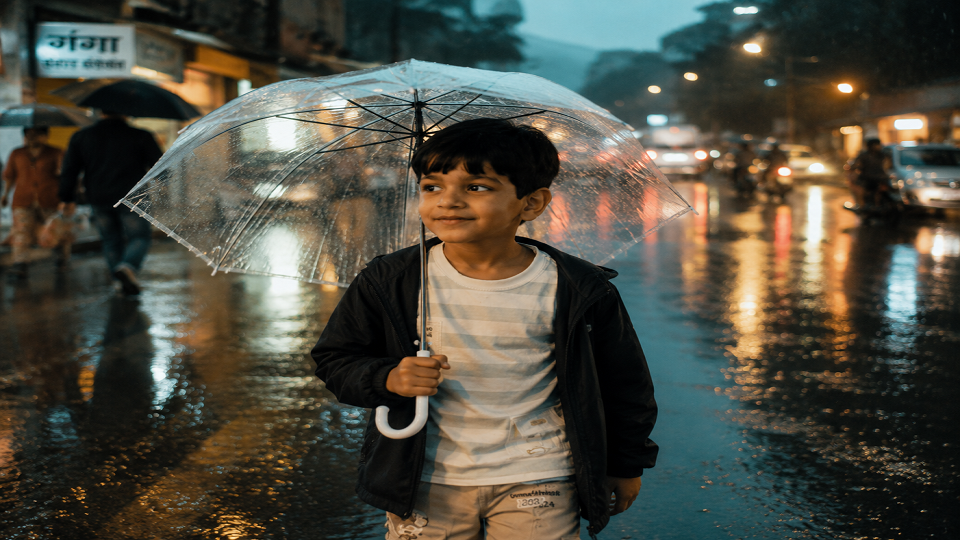
Exact facial likeness from uploaded photo. Subject walking through a wet street during light rain, holding a clear umbrella, streetlights reflecting off puddles. Muted teal-and-amber color grade, motion blur on the background only, subject in sharp focus. Candid, unposed expression – not looking at camera. Documentary-style, not glamour-style.
Test Result:
Study Desk Late Night
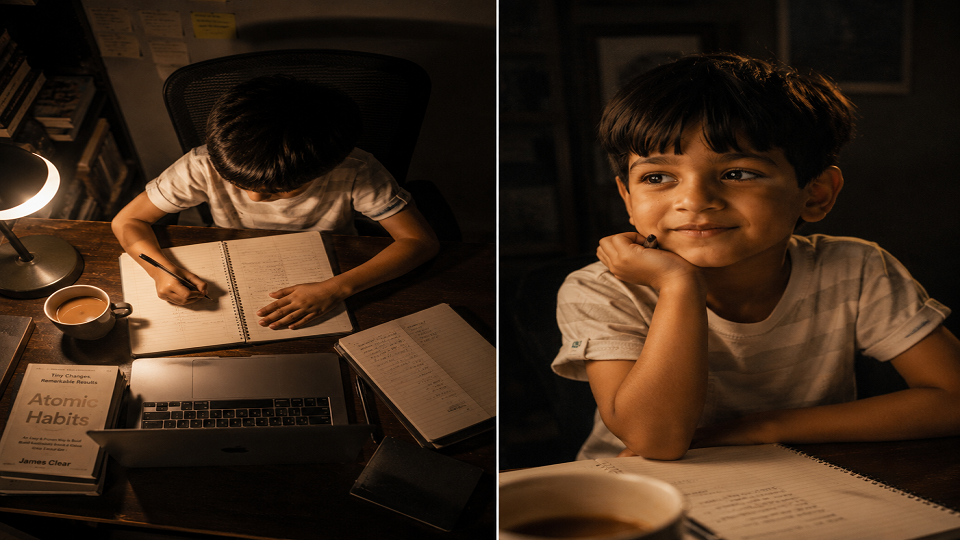
Same identity as uploaded image, natural skin texture preserved. Subject at a desk lit only by a warm desk lamp and laptop glow, notebooks and coffee cup visible, soft shadows. Two-panel layout: overhead shot of the desk setup, close-up of subject mid-thought. Cozy, low-key lighting, slight film grain, no overlays or stickers – a quieter, more understated take on the trend.
Test Result:
Train Window Golden Light
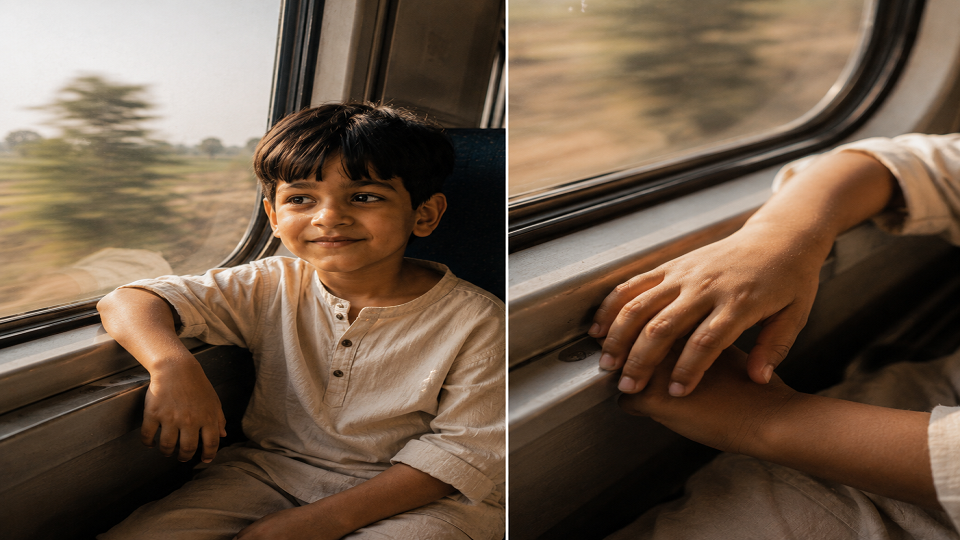
Uploaded face used as the only identity reference, no smoothing or reshaping. Subject seated by a train window, warm late-afternoon light streaming across the face, motion-blurred countryside visible outside. Simple cotton kurta or plain t-shirt, hair slightly wind-tousled. Single medium shot plus one close-up of hands resting on the windowsill. Warm but understated tones, soft grain, no overlays – travel-documentary feel rather than glamour edit.
Test Result:
Kitchen Morning Light
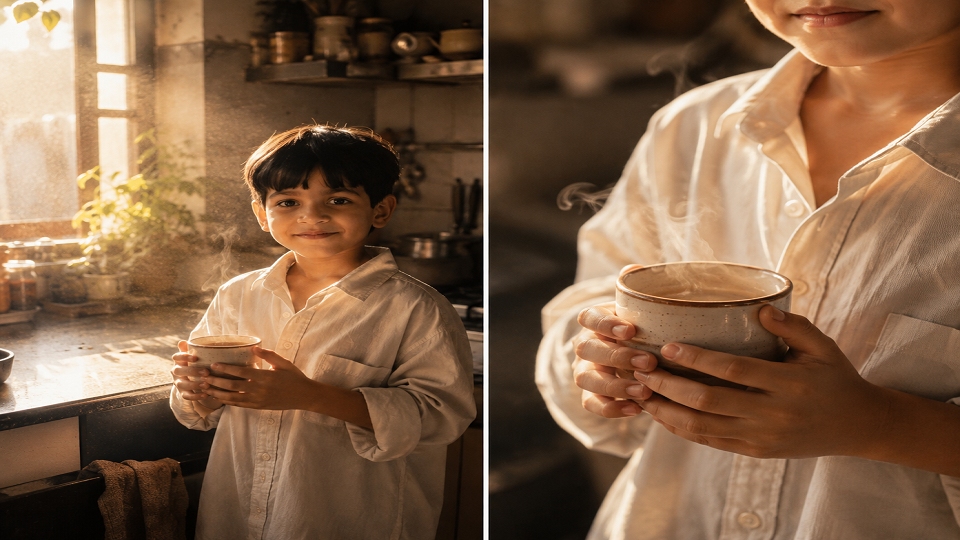
Same face as uploaded photo, natural texture preserved, no beautification. Subject standing near a sunlit kitchen window, steam rising from a cup of chai, soft morning light with visible dust motes. Oversized shirt, hair in a loose bun. Two-panel layout: wide shot of the scene, close-up of hands around the cup. Warm, homely color grade, gentle film grain, minimal styling – everyday realism over polish.
Test Result:
Night Market Neon
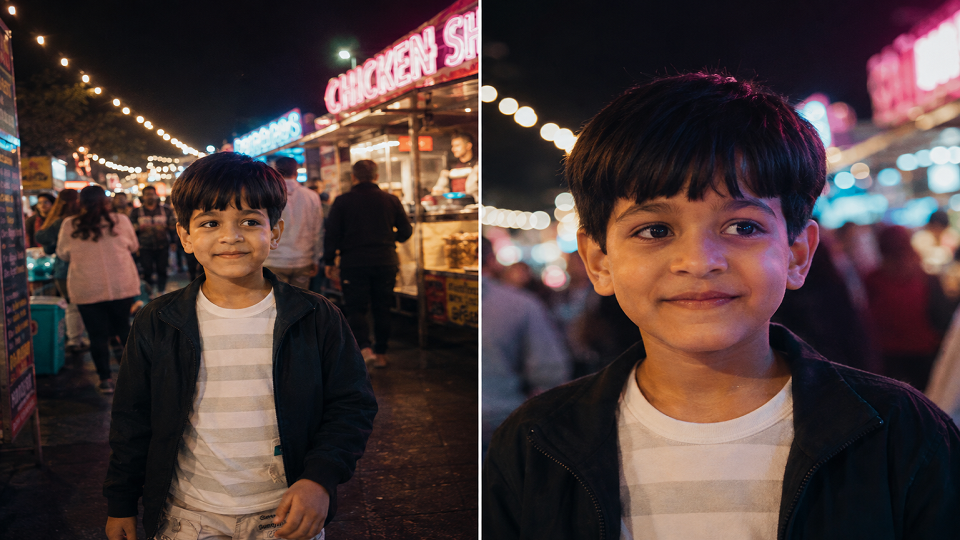
Exact facial likeness from the uploaded image, unedited. Subject walking through a night market, colorful neon signage reflected softly on skin and hair, gentle background blur from string lights and stalls. Casual jacket, relaxed pose, candid mid-stride expression. Single wide shot with one closer crop on the face lit by neon glow. Cool-warm mixed color grade, moderate grain, energetic but not overexposed.
Test Result:
Terrace Plants and Afternoon Shade
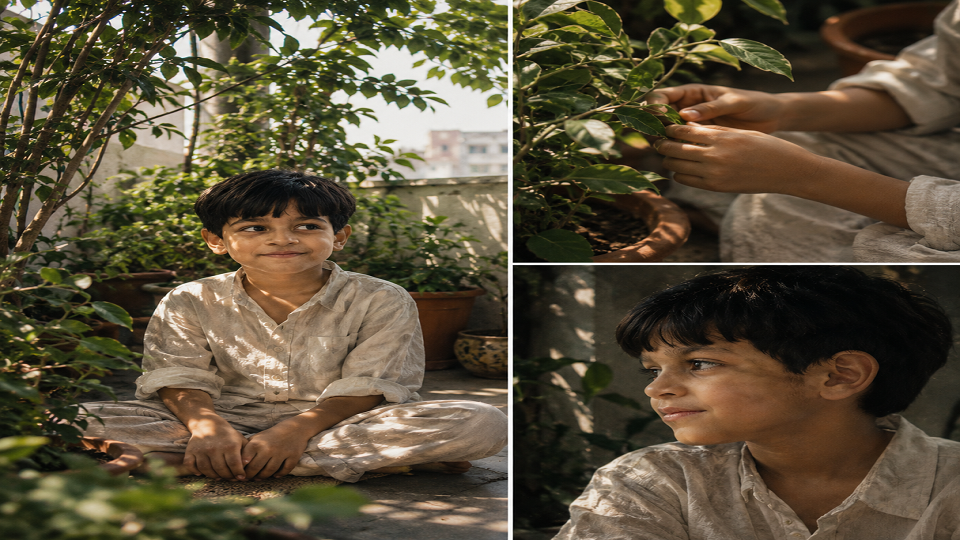
Uploaded face locked as identity reference, no reshaping. Subject seated among potted plants on a terrace, dappled afternoon shade falling across the face, soft breeze moving loose hair strands. Linen shirt or simple dress, minimal accessories. Three-panel collage: wide shot, close-up of hands among the leaves, side profile in shadow. Muted green-and-beige palette, soft focus, calm and unhurried mood.
Test Result:
Old Cafe Window Seat
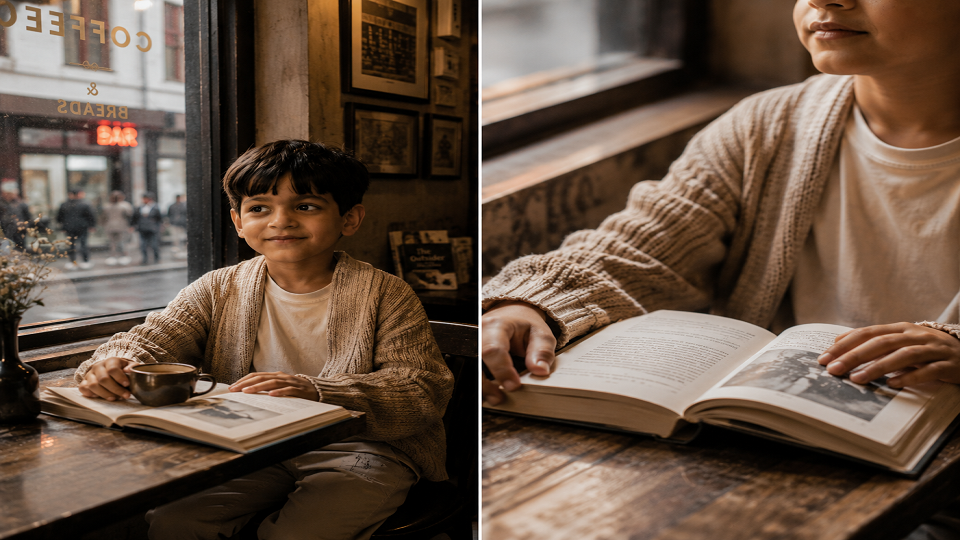
Same identity as uploaded photo, natural skin texture kept intact. Subject seated at a window table in an old-style cafe, warm interior lighting mixing with cooler light from outside, a book or notebook on the table. Relaxed cardigan or sweater, natural unposed expression looking slightly off-camera. Two-panel layout: medium shot of the full scene, close crop on the hands and book. Warm sepia-leaning tones, gentle grain, quiet editorial feel.
Test Result:
(Copy any of these directly into ChatGPT or Gemini along with your photo – no need to add anything else.)
How to Actually Get a Good Result
- Use a clear, well-lit photo of your face – front-facing, no sunglasses, no heavy filters already applied. The AI has less to work with if your source photo is already edited.
- Ask for one change at a time if your first result looks off. Regenerating with “keep the same but fix [X]” works better than starting over with a longer prompt.
- Don’t stack too many style keywords. The shorter prompts above outperform the 15-line ones circulating elsewhere – more instructions doesn’t mean better results, it means the AI has to prioritize, and it often prioritizes the wrong thing.
- Want more prompt-writing fundamentals? Our Best ChatGPT Prompts guide breaks down the general structure that makes any AI prompt – not just photo ones – more effective.
What Nobody’s Telling You: The Privacy Side
Here’s the part that gets skipped in almost every “Prompt Seen” roundup: you’re uploading a clear photo of your face to a third-party AI tool, and it’s worth knowing what happens to it before you do.
- ChatGPT and Gemini both retain uploaded images as part of your conversation history unless you’ve turned off chat history or are using a temporary/incognito chat – check OpenAI’s data controls settings or Google’s Gemini Apps Activity settings if this matters to you.
- Third-party “trend” apps (not the big-name AI companies directly) are the bigger risk. Before uploading your photo to any app promising “one-click Prompt Seen edits,” check whether it has its own privacy policy at all – a surprising number of trend-riding apps don’t.
- Avoid uploading photos of other people (friends, family, especially minors) without their knowledge, even for a fun edit – most platforms’ terms of service require you to have the right to use any face you upload, and you’re also making a decision about their photo without asking them.
This isn’t meant to talk you out of trying the trend – it’s genuinely fun and the results can look great. It’s just worth doing with the same awareness you’d apply to any tool that asks for a photo of your face.
FAQ
Which AI tool gives the best Prompt Seen results?
ChatGPT currently holds facial accuracy best across multi-panel collages. Gemini is a solid second option, especially if your first ChatGPT result needs a different mood or lighting style.
Do I need to pay for this?
No – ChatGPT and Gemini both have free tiers that support this. Free tiers do cap how many images you can generate per day, so you may need to spread attempts across a few hours if you’re experimenting.
Is it safe to upload my photo for this?
Generally yes with major tools like ChatGPT and Gemini, which have clear data policies – just check your chat history settings if you’d rather the image not be retained. Be more cautious with unfamiliar third-party trend apps that don’t disclose a privacy policy.
Can I use this for photos of other people?
You technically can, but you should have their knowledge and consent first – especially for anyone who hasn’t chosen to be part of a public trend themselves.
Try It Yourself
The best way to understand this trend is to actually run one of the prompts above through ChatGPT or Gemini with your own photo – it takes about two minutes, and you’ll immediately see why it’s spread as fast as it has. For more AI tool breakdowns like this one, check out our AI Hub section.
Want to write trend breakdowns and AI tool guides like this for Tech Exploria? Write for us