The TV App: What Is It, Is It Safe and Is It Still Working?
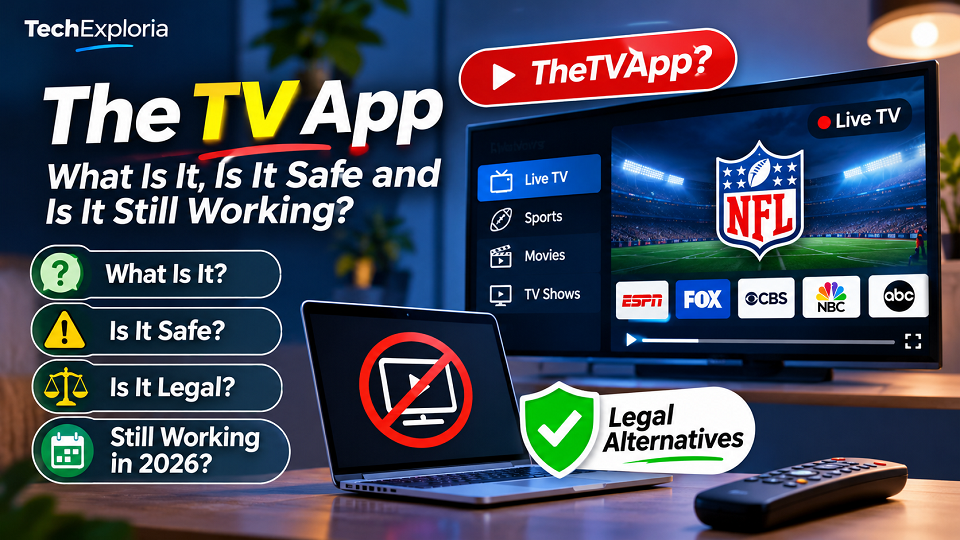
Quick answer: The TV App, usually written as TheTVApp, is an unofficial website that streamed free live TV channels and sports with no login. It isn’t a licensed service, independent safety reviews describe it as a directory of unlicensed streams, and its original domain reportedly stopped responding in June 2026. Sites that claim to be its comeback haven’t been independently verified. If what you really want is live TV or NFL games without a cable bill, there are legal routes further down. And to avoid confusion, this has nothing to do with Apple’s TV app.
I haven’t used this site, and after reading what independent reviewers found, I don’t plan to. What I did was read the best-known explainers (SlashGear’s 2025 piece, OneRep’s safety assessment, and several newer write-ups), note where they agree and disagree, and check the legal and safety claims against official sources where I could. I’m also deliberately not listing any web addresses, mirrors or app downloads for it. That’s not me being coy. Lookalike sites are exactly how people end up with malware, and I’d rather not send anyone to one.
What Is The TV App?
Searching “thetvapp” usually turns up a browser-based site that offered free access to what SlashGear reported as over a hundred live channels, covering sports, news and entertainment, with no account and no upfront payment. People searched for it as “the tv app free” and “the tv app live tv” because the pitch was simple: live channels in one tab, without paying for five different subscriptions.
What it wasn’t was a normal streaming service. There was no customer support, no clear information about who ran it, and no licensing details published for the channels it listed. If you’ve ever wondered why a free page could show channels that normally sit behind cable or paid bundles, that’s the central question, and the answer from independent reviewers is that it was acting as a directory of unlicensed streams rather than a provider with broadcast rights.
The name also causes confusion. It isn’t Apple’s TV app, it isn’t the Google TV app, and it isn’t a phone app you can download from the official stores, which brings us to the APK question later on.
How Does The TV App Work?
As far as I can tell from the reviews, it worked like an index. The site listed channels and embedded video players that pulled streams from other places, rather than hosting video itself, and it paid for itself with ads, many of them aggressive, with pop-ups and redirects being the common complaint. SlashGear also reported a paid tier, roughly $15 a month and payable in Bitcoin, promising better quality. Even then, SlashGear noted that paying customers complained playback wasn’t reliably better, and OneRep points to a Reddit user who said they got no response after buying.
The part that matters most is what that setup means for you. Streams could vanish without warning, quality dropped when lots of people tuned in, and big events were the worst time to rely on it. That last point is why “the tv app nfl” was such a popular search, and also why it was such a frustrating one: an NFL Sunday is exactly when overloaded unofficial streams tend to fall over. Reviewers also note that a payment made in crypto leaves you with little recourse if the service disappears, because there’s no card issuer to dispute it with.
Is The TV App Still Working in 2026?
Short answer: the original site isn’t something you can count on, and I wouldn’t trust anything claiming to be its replacement.
Zonic Magazine’s write-up reports that the original .to domain stopped responding in June 2026, during a wider period of disruption affecting online streaming sites, and that no successor domain has been independently verified. You may find other pages saying the service came back on a new address. I couldn’t confirm any of those through an independent source, and “it’s back, click here” is also exactly what a phishing or malware page would say.
This section is the one most likely to go out of date, which is why the top of this page carries a “last verified” date. If you’re reading this long after that date, assume the situation has changed again and treat any claim of an “official new site” as unproven until a reliable outlet confirms it.
Is The TV App Safe to Use?
I would not consider TheTVApp a service you can safely rely on. Its unclear ownership, lack of verifiable licensing information, reports of aggressive advertising and redirects, and unverified lookalike domains create meaningful security and privacy concerns. This does not prove that every visit or every page contains malware, but there is not enough transparency to recommend using it:
- A padlock (HTTPS) in the address bar only means your connection to that page is encrypted. It says nothing about the ads, scripts or video sources embedded on it, which are the usual routes for malware and tracking.
- Browser and antivirus tools have reportedly flagged the site for suspicious redirects.
- Anything that takes payment, especially in crypto, leaves you with almost no way to get your money back.
How to Spot a Fake or Lookalike Site
Whenever a popular unofficial site goes down, imitators appear within days. Be suspicious if a page does any of the following: uses a domain that’s a slight variation of a name you remember, announces itself as the “official” new version without proof from a reputable outlet, asks you to install a player, codec or app before it will show anything, asks for a payment (particularly crypto), or keeps asking for notification permission. Any one of those is reason enough to close the tab.
If You Already Visited or Installed Something
- Close the page, and don’t click “Allow” on any notification prompt. If you already did, remove the site’s permission in your browser settings.
- Uninstall any app or file you installed from an unofficial source.
- Run a full scan with Windows Security, or Google Play Protect on Android.
- If you entered a password anywhere, change it, and change it on any other site where you reused it.
- Check your bank, card and crypto activity for charges you don’t recognise.
Is The TV App Legal?
In the United States, the Protecting Lawful Streaming Act of 2020 gives the Department of Justice stronger criminal enforcement options against people who willfully operate commercial-scale services that illegally stream copyrighted content for commercial advantage or private financial gain. The law is primarily aimed at service operators, not ordinary viewers. However, this should not be interpreted as a guarantee that watching an unauthorized stream is legal everywhere. Copyright rules and potential consequences vary by country, so check the law that applies where you live.
Does The TV App Have an Official APK?
Not as far as anyone has been able to verify. Reviews report that the site itself says it has no official Android or iOS app in Google Play or the App Store. Any APK claiming to be the official TheTVApp app should be treated as unverified. Installing software from an unknown source can expose your device and personal data to security risks.
I’m not going to explain how to install one, but I will give you a useful way of thinking about it. A checksum only proves that a file matches what its publisher posted, so if the publisher is a stranger, a matching checksum tells you nothing about whether the file is safe. We cover how that works in our guide to what a checksum error is. In practice: if an app isn’t in an official store from a publisher you can identify, don’t install it.
Can You Use The TV App on Firestick and Smart TVs?
The site itself was browser-based, so in theory anything with a browser could open it. The riskier route was third-party players and sideloaded apps on devices like Fire TV and Android TV, and that’s the part where the danger jumps, because you’re giving an unvetted app access to your TV and your home network. I’m not covering that setup.
What I will say is that a device being able to run something doesn’t make that something licensed or safe. If you want live TV on a Firestick or smart TV, the official apps in your device’s store are the sensible place to start, and the next section covers the main ones.
The TV App Alternatives
Availability depends heavily on your country, and most of the options below are aimed at the US market, so check what your own region offers before you plan around any of them.
Free Live TV (The TV App Free, Done Legally)
The services below are primarily relevant to viewers in the United States. Availability, channel selection and device support vary by country. If you are outside the US, check the service’s official regional website before signing up or installing an app.
| What you want | Legal option | How it’s paid for |
| Free live channels and on-demand | Pluto TV | Ads |
| Free on-demand plus some live news and sports | Tubi | Ads |
| Free channels on Roku and other devices | The Roku Channel | Ads |
| Free channels on a Samsung TV | Samsung TV Plus | Ads |
| Local news and shows | Free over-the-air antenna | One-time antenna cost |
These won’t carry premium cable channels or most big live sports, but they’re free, licensed, and don’t come with the security risks above. If you want cable-style channels, a licensed live TV service is the legitimate version of that.
Watching the NFL Legally (The TV App NFL, Done Legally)
This is the search that brings a lot of people to unofficial sites, so it’s worth being specific. For the 2026 season, the picture looks like this, though you should confirm against current listings since deals shift:
| Game window | Where to watch in the US |
| Sunday afternoon local games | CBS and FOX; eligible games also stream on Paramount+ and FOX One |
| Sunday Night Football | NBC and Peacock |
| Monday Night Football | ESPN and ABC |
| Thursday Night Football | Prime Video |
| Out-of-market Sunday games | NFL Sunday Ticket on YouTube / YouTube TV |
| Select special games | Netflix, depending on the schedule |
| Live local and nationally televised games on mobile phones and tablets | NFL+ |
The cheapest setup, according to several guides including Fox Sports’ 2026 rundown, is an over-the-air antenna for local CBS, FOX, NBC and ABC games. The honest caveat is that no single subscription legally streams every game, so a mix is usually needed if you want everything. NFL+ also carries live local games on phones and tablets.
Frequently Asked Questions
Is The TV App down for good?
Its original domain reportedly stopped responding in June 2026, and no replacement has been independently verified. Treat any site claiming to be the new official version as unproven.
Is The TV App free?
Browsing it was free, but free doesn’t mean cost-free. Reviewers point to heavy ads, tracking and a paid tier payable in crypto, and none of that makes the streams licensed or the site safe.
Can I watch the NFL on The TV App?
NFL streams were a major draw, but they were unlicensed and unreliable at peak times. The legal options above, starting with a free antenna, are safer and more dependable.
Does a VPN make The TV App safe or legal?
No. A VPN can limit who sees your connection details, but it doesn’t make an unlicensed stream lawful and it doesn’t protect you from malicious ads or fake apps.
Is there an official The TV App app?
None has been verified. Reports say the site claims to have no official app on Google Play or the App Store, so treat any APK or “official app” as a red flag.
Final Thoughts
The appeal of The TV App was never mysterious: live TV and NFL games for free, in one tab. The trade-off is that you can’t tell who runs it, you can’t count on it working, and you may be handing your data, or your money, to people you’ll never be able to hold accountable. Now that the original site has reportedly disappeared, the lookalikes make the risk even higher.
If your goal is cheaper live TV or football, start with an antenna and the free ad-supported apps above, and add a paid service only for what you can’t get otherwise. For more safety-focused explainers like this one, browse our Tech Guides section.
Know something that’s changed since we last checked, or spot a claim here that doesn’t hold up? Tell us and we’ll correct it, or see our Editorial Policy for how we handle safety and legal topics.
Sources checked
- SlashGear: TheTVApp.to Explained
- OneRep: Is TheTVApp.to Safe?
- Zonic Magazine: The TV App, What Happened and Is It Still Working?