Honestly? I almost missed it.
I was searching for something dead ordinary – comparing two laptops – and instead of the usual pile of blue links, I got a full written answer. One that already knew I’d asked about battery life a couple searches earlier. It just… remembered. Connected the dots without me asking it to.
That’s what made this stick with me. Not “new button, same old search.” Something that actually changes what you can ask, and what you get back.
If you’ve opened google.com lately and noticed a tab sitting next to Images, News, and Shopping that says “AI Mode” – that’s what we’re talking about. And if you clicked it once, shrugged, and went back to regular search – this is for you too. Google said at I/O 2026 that AI Mode had crossed 1 billion monthly active users just a year after launch – so a lot of people have had that same “wait, this is different” moment. I’ll walk through what I’ve picked up from actually using it, warts included.
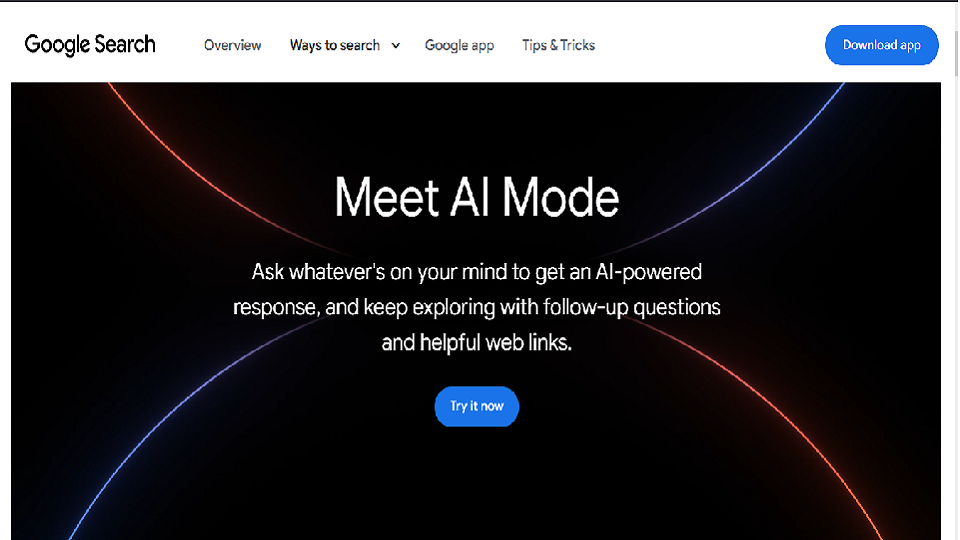
Quick answer: Google AI Mode is a conversational search tab powered by Gemini 3.5 Flash. Click the “AI Mode” tab on google.com, or tap the AI Mode button in the Google app. It’s free, works globally, and you don’t even need to be signed in for basic use.
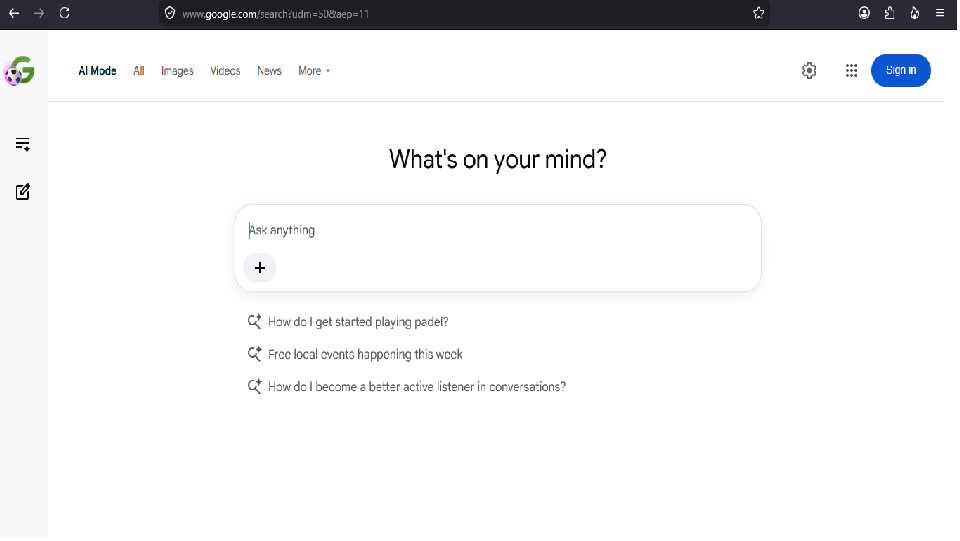
What Google AI Mode Actually Is (and Isn’t)
Most write-ups start by telling you what AI Mode is. I’d rather start with what it’s not, because that’s the part people keep getting wrong.
It’s not a chatbot. You’re not “talking to a robot” the way you would in ChatGPT or Claude – you’re still searching Google. Same index, same live web, same pages Google’s been crawling forever. What’s different is what happens before you see results.
Under the hood, Google calls this “query fan-out.” Type a question, and AI Mode doesn’t just search that literal phrase – it splits your question into a handful of related sub-queries, runs them all at once, reads across the results, then stitches together one answer with sources cited right inside it. Takes seconds.
Here’s the practical version: ask regular Google “best headphones for video calls under $100” and you’re clicking into four or five tabs to piece together an opinion. Ask AI Mode the same thing and you get a recommendation with actual reasoning – prices, model names, sources sitting right next to the claims – without leaving the page.
Since May 2026, Gemini 3.5 Flash runs AI Mode for everyone, free tier included. Google built it specifically for fast, multi-step reasoning rather than one-shot answers.
Google AI Mode vs. AI Overviews – What’s Actually Different
This is the question I get the most, and honestly the two features look confusingly similar on the surface, so I get why.
AI Overviews sit right on top of your normal results – you search like normal, get a short AI summary, and the regular link list is still right underneath. AI Mode is a separate space entirely, built around back-and-forth conversation rather than a single query-and-answer.
Simplest way I’ve found to explain it: AI Overviews is for the quick stuff. AI Mode is for when you’ve got follow-up questions, when context actually matters, when you want to go a few layers deeper.
As of the May 2026 update, they’re more connected than they used to be – you can ask a follow-up straight from an AI Overview and it drops you into a full AI Mode conversation, carrying your original context with it.
I use both, just for different things. Quick fact-check, definition, “what year did X happen” – AI Overview. Planning a trip, comparing something complicated, learning a topic I know nothing about – AI Mode, every time.
How to Turn On Google AI Mode
Getting into it is easy once you know where to look.
On desktop (google.com):
- Go to google.com in any browser
- Look at the row of tabs above the search bar – All, Images, Videos, News, Shopping
- AI Mode is the tab furthest to the left
- Click it, type your question the way you’d actually say it
- Hit enter – the answer comes back with citations built in
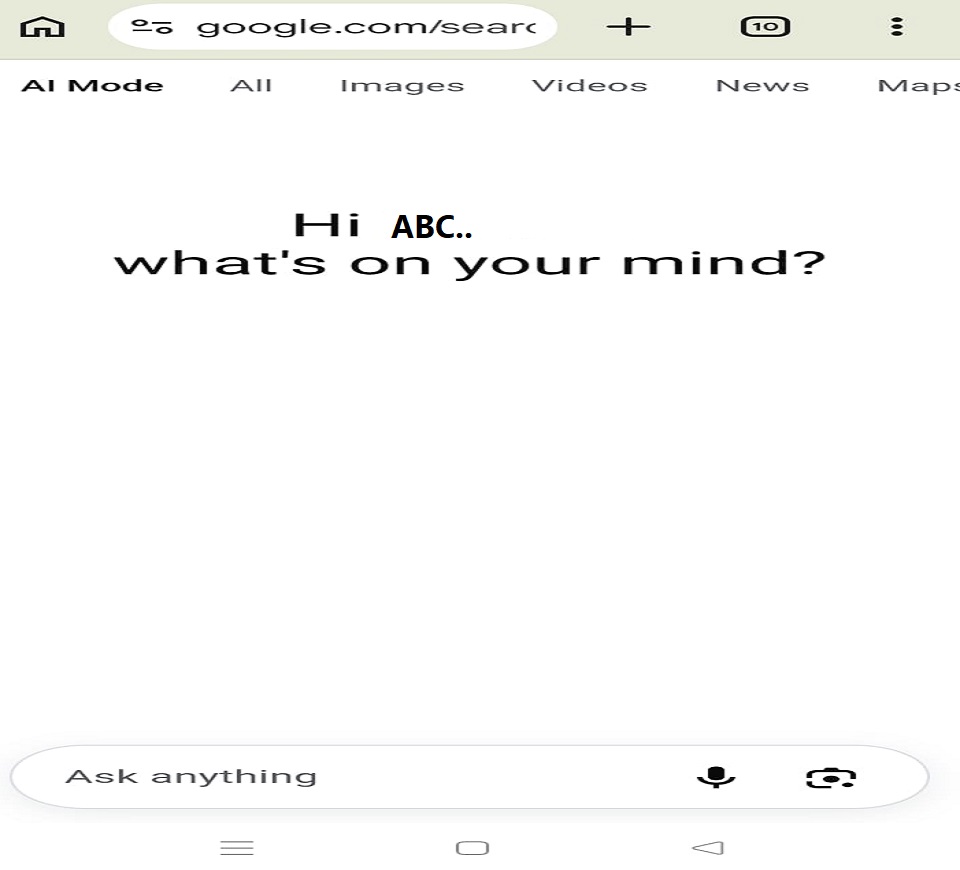
On mobile (Google app):
- Open the Google app
- Just below the search bar on the home screen, there’s an AI Mode button
- Tap it
- Type or speak your question – the mic works fine for voice
Don’t see the tab? That usually means your account or region hasn’t been rolled into it yet. Head to Google Search Labs (g.co/labs) and opt into the AI Mode experiment.
Most US users don’t need to bother with Labs anymore – it’s on by default. Outside the US, or on an older account, the Labs opt-in is still the quickest fix.
Five Things It Does That Regular Search Just Can’t
These aren’t the flashy features from a product page – just the ones I actually reach for.
- It remembers the conversation (for a bit) Ask “best mirrorless cameras under $800,” then follow with “which of those has the best video autofocus” – it knows “those” means the cameras from your first question. No need to repeat yourself. Small thing, saves more time than anything else on this list.
- You can throw almost anything at it Text, photos, files, video, even a live camera feed. I once photographed a plant I couldn’t identify and asked what it was – got the species, a watering schedule, light needs, and a warning that it’s toxic to pets. From one photo. Works with screenshots and documents too, and Search Live handles the live-camera version.
- Sources sit right next to the claims The May 6, 2026 update put citation links directly beside specific facts, added hover previews, and started pulling in perspectives from Reddit and forums alongside the “official” sources. This fixes the biggest early complaint about AI search – that you couldn’t tell where anything came from. Now you can hover before you even click.
- Shopping in plain English It’s tied into Google’s Shopping Graph, which now has upwards of 50 billion listings refreshing more than 2 billion times an hour. Describe what you want – “a laptop bag that fits 15 inches and doesn’t look like a gym bag in a client meeting” – and it interprets the request instead of just matching keywords. Results shift as you refine what you’re asking for.
- It can pull from your own stuff Personal Intelligence is expanding to nearly 200 countries and 98 languages, no subscription needed. Connect Gmail or Google Photos (Calendar’s coming) and it can answer things like “what flights have I booked this year” or “any invoices still pending” using your actual inbox – not a generic explainer on how to check flight status. Each app is a separate opt-in, and you can pull the plug on any of them whenever you want.
Google AI Mode vs. ChatGPT – My Honest Take
I use both, regularly, for different jobs. Here’s roughly how I’d score them after months of switching between the two:
| Factor | Google AI Mode | ChatGPT |
| Real-time web access | Always current | Depends on plan |
| Source citations | Inline, consistent | Hit or miss |
| Conversational memory | Within a session | Across sessions |
| Long-form writing | Not really its lane | Strong |
| Shopping integration | 50B+ products | Not native |
| Personal data (Gmail, Photos) | Opt-in | Not available |
| Image input | Yes | Yes |
| Free tier quality | Solid | Limited on GPT-4o |
| Privacy control | Per-app consent | Standard |
My rough rule: reach for AI Mode when you need something current, sourced, and grounded in the real world. Reach for ChatGPT or Claude when it’s long-form writing, code, or reasoning through a fixed document. For research specifically, AI Mode has become where I start – the citations let me double-check things immediately, which matters more to me than it probably should.
(For more comparisons like this, TechExploria has a full breakdown in our Best AI Tools guide.)
Where Google AI Mode Still Falls Short
No point writing this without the downsides.
It still gets things wrong sometimes. Less often than earlier AI search attempts, and the citations make it easier to catch – but it’s not infallible. Click through and check anything that actually matters.
It’s not a creative-writing tool. Want a poem, a story, a tightly structured essay – ChatGPT or Claude will do better. That’s just not what this was built for.
Memory doesn’t carry across sessions. Close the tab, and it forgets. Come back tomorrow and it has no idea what you asked yesterday.
And access still isn’t even everywhere – Personal Intelligence and Shopping in particular lag behind in some regions compared to the US rollout.
What’s Coming – Search Agents
Google’s floated the idea of “Search agents” – set one up, point it at a topic, and it works in the background, sending you updates when something changes rather than waiting for you to search again. Think of it as a saved search that actually reads what it finds and tells you what’s new.
Announced at I/O 2026, information agents (the first kind) are rolling out now, though currently limited to AI Ultra subscribers. Still early days, but it points at where this is heading – less a box you type into, more something working for you between the times you ask it anything.
FAQ
Does it replace regular Google Search?
No. Google’s been clear about this - a normal text search still shows you the classic results page with blue links, same as always. AI Mode is a separate tab you choose to open, not the default.
How’s it actually different from ChatGPT?
Mostly real-time web access and where the sources sit. AI Mode always pulls from the live web with citations right beside the claim; ChatGPT’s web access varies by plan and citations aren’t as consistent. AI Mode also plugs into Gmail and Shopping in ways ChatGPT doesn’t touch. For long writing and deep reasoning on a document, ChatGPT still has the edge.
Can I use it without a Google account?
Yes - basic use doesn’t require sign-in. You just won’t get personalization, so no Gmail, no Photos, none of the personal-context stuff.
Is my data actually safe with Personal Intelligence?
Each app is its own opt-in nothing connects as a bundle, nothing happens automatically. You can disconnect any of it at any time from your Google account settings.
Final Word
I went from ignoring that tab entirely to making it my default for anything with more than one moving part. That switch took about two weeks of actual use – not from reading about it, which is a bit ironic given what you’re doing right now.
The mistake most people make is treating AI Mode like regular search: a couple of keywords, expecting a list of links back. That’s not what it’s for. Ask it a real question, with context, the way you’d ask a person – and the difference is obvious almost immediately.
Try it once, on something that would normally eat twenty minutes of your time. Ask it properly. See what comes back. That’ll tell you more than anything I’ve written here.
For more honest AI tool guides, visit TechExploria.com – and drop questions in the comments, I read all of them.
Sources: Figures and features referenced above – the 1 billion monthly users milestone, Gemini 3.5 Flash, the May 6, 2026 citation update, Shopping Graph numbers, Personal Intelligence, and Search agents – are drawn from Google’s official I/O 2026 keynote transcript, the I/O 2026 announcement collection, the May 6, 2026 Search blog post, Think with Google’s Shopping Graph update, and the May 2026 and June 2026 Google AI update roundups.




1 comment