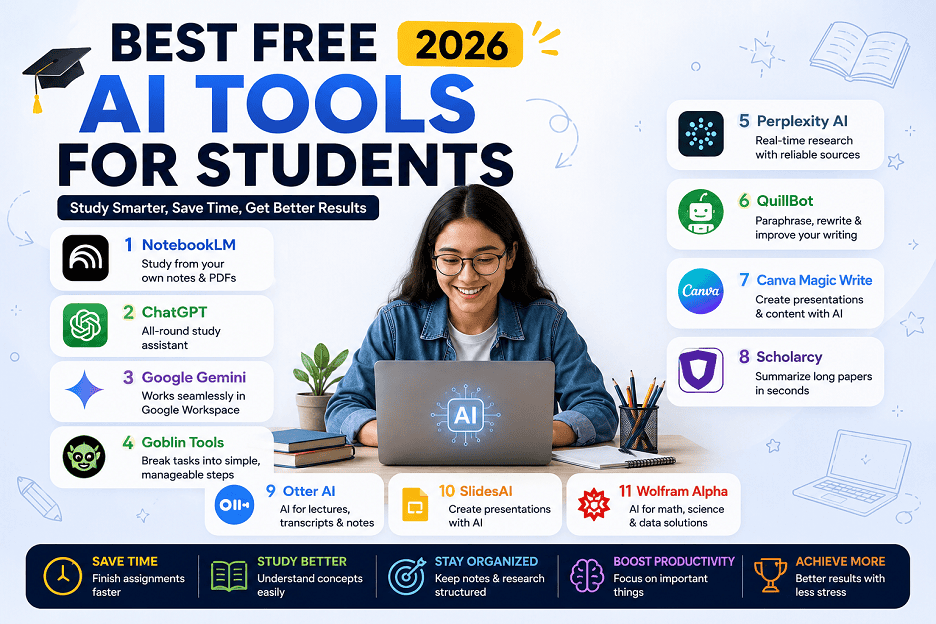
Best free AI tools for students in 2026 are no longer just ChatGPT and Grammarly. After personally testing dozens of tools for studying, assignments and productivity, I found some genuinely useful options that most students completely overlook Like: ChatGPT, Grammarly, QuillBot, Canva.
Yes, those tools are beneficial. But after spending some time testing AI tools for studying, assignments, presentations and productivity then I realized students need something more special than old “top 7 AI tools” lists.
What students actually need are tools that:
- Save time during deadlines
- Make concepts easy to understand
- Help organize study material
- Minimize repetitive tasks
- And make student life easier
So instead of repeating the same AI tools everyone already knows, I wanted to share the free AI tools I personally think are Underestimated, practical and honestly useful for students in 2026.
These are the best free AI tools for students who want real results without paying..
NotebookLM – Best AI Tool for Studying from Your Own Notes
Most AI chatbots answer questions using information from the internet. That becomes a problem when students need help specifically from:
- Class notes
- PDFs
- Lecture slides
- Research documents
Then switching between documents and AI tools wastes our time and breaks focus.
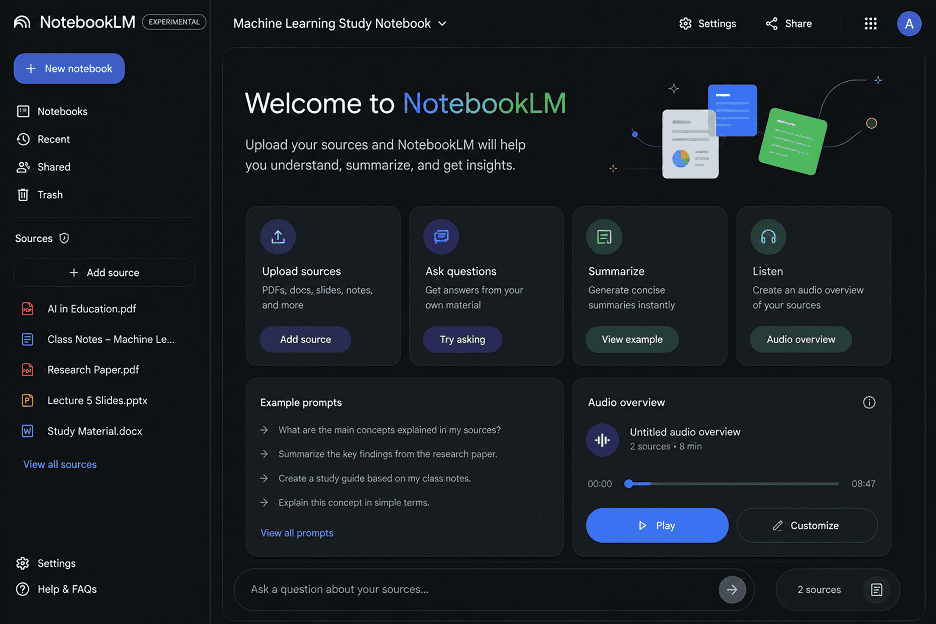
NotebookLM doesn’t feel like a chatbot and more like a personal AI learning assistant. What makes NotebookLM different is that you can upload your own: PDFs, notes, research documents and google docs. And the AI answers questions only from your material
I tested it with a long research PDF and honestly, it explained concepts more clearly than other YouTube tutorials.
Features:
- You can upload notes and PDFs files
- Get AI-generated summaries
- Get Question-answering from your own material
- You can create study material
- Get audio-style AI overview feature
Here are some Pros & Cons of NotebookLM
Pros:
- It works best with long PDFs
- You can save time during revision
- It’s very helpful for researching difficult subjects
- It’s free for most students
Cons:
- Depends on uploaded study material quality
- Sometimes oversimplifies technical concepts
- Sometimes limited usefulness without proper notes
Finally, it is best for college students, research work, revision notes, exam preparation and concept understanding
ChatGPT- Best AI Tool for All-Round Study
ChatGPT crossed millions of weekly users worldwide and education remains one of the largest use cases for AI chatbots. After testing it for a month, I realized students benefit most when they use it for understanding concepts and revision solve complex definitions, create revision questions and explain concepts in easy language.
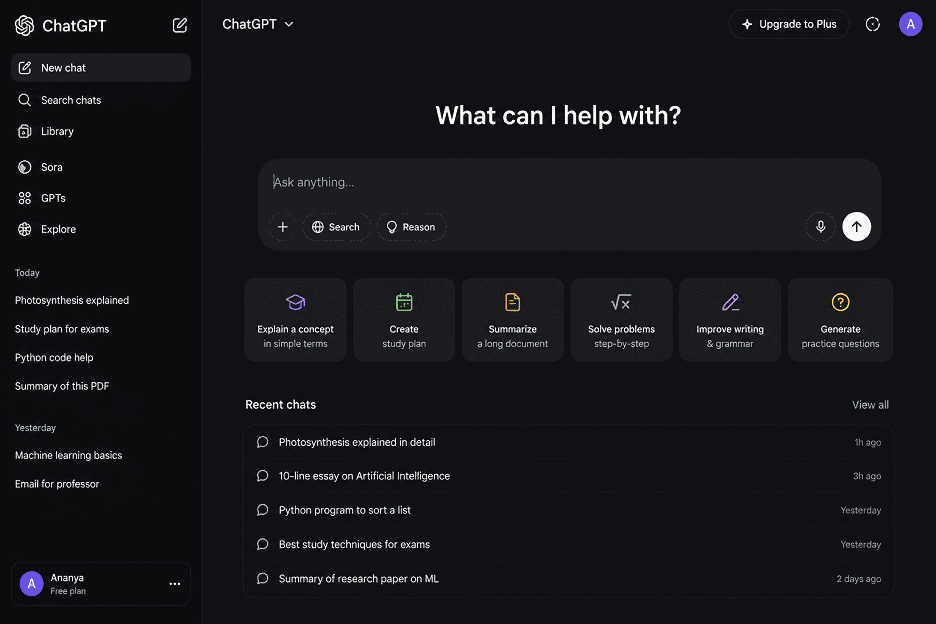
Most students waste time in searching for explanations, assignment ideas, study plans and writing structure ChatGPT became very easy among students after 2023.
Features:
Here are some best features of ChatGPT:
- Best for question answering
- Best for topic explanation
- Makes study planning much easier
- Content summarization more ideas
- Helpful in coding
- Easily provide practice question answer
Here are some Pros & Cons of ChatGPT
Pros:
- Very flexible
- Helpful in all subjects
- Fast responses
- Beginner friendly
- Good for idea generation
- Useful free version available
- Use everywhere
Cons:
- It also provides incorrect information sometimes
- Requires fact-checking
- It makes students over dependent
- Free version has limits during peak hours
Finally, it is best for finding solutions to everything, homework support, concept explanation, and study planning.
Google Gemini – Best AI Tool for Google Workspace Users
Google Gemini works naturally in Google’s ecosystem, which makes it useful for students those already dependent on Google tools. I tried Gemini for organizing research notes across Google Docs, Gmail, Drive files. And found biggest advantage was how smoothly it handled email drafting, quick explanations and document assistance.
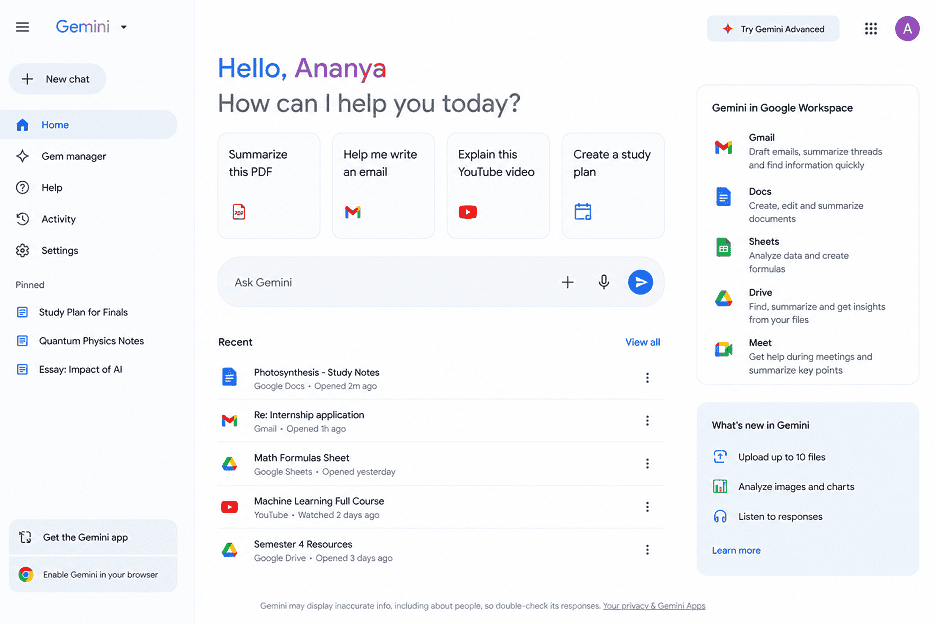
Students also create constantly between Gmail, Google Docs, YouTube, Google Search, Drive and classroom documents and also Manage everything separately becomes inefficient.
Features:
Here are some best features of Google Gemini:
- It is best for google docs integration
- Easy for Gmail assistance
- Easily handle AI summaries
- Its support YouTube explanation
- Make conversational search easily
Here are some Pros & Cons of Google Gemini
Pros:
- Works best with Google ecosystem
- Very helpful for productivity tasks
- Best for real-time information access
- Very simple interface
Cons:
- Some responses feel inconsistent
- Require paid plans for advanced features
- Still less accurate than dedicated research tools for hard topics
Finally, it is best for Google Workspace users, quick research, large information, productivity workflows, assignment and organization.
Goblin Tools – Best for Students Who Struggle with Focus
Goblin Tools became popular among students because it turns difficult tasks into simple steps.
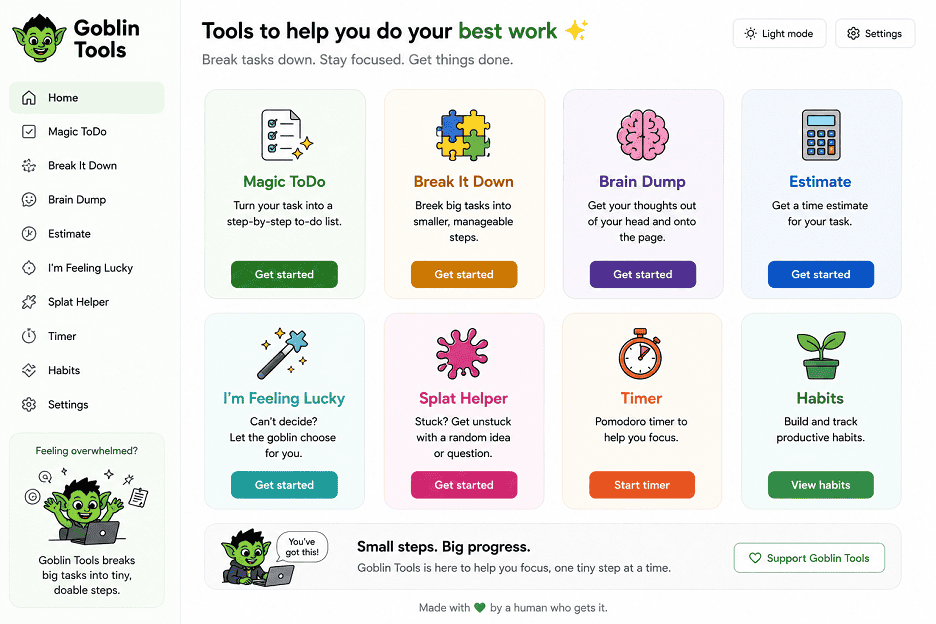
For example, instead of writing:
“Complete assignment” …it breaks the task into:
- Research topic
- Create outline
- Write introduction
- Proofreading
- Submit
I sometimes delay big work, so I found this very helpful. Sometimes, large assignments often feel mentally exhausting before students even begin working on them. Like:
- “Complete your project”
- “Prepare your presentation”
- “Finish your assignment”
It’s sounds simple but usually involve multiple hidden steps. That confusion leads to delay.
Features:
Here are some best features of Goblin Tools:
- Task breakdown
- Time estimation
- Tone review
- Simple productivity tools
The best part is that it feels lightweight and focus-oriented.
Here are some Pros & Cons of Goblin Tools
Pros:
- Easy to use
- Reduces mental stress
- Very helpful for ADHD-style productivity issues
- No complicated dashboard
- Works fast even on mobile
Cons:
- It’s not designed for advanced project management
- Its interface looks very simple
- Some features require experimentation
Finally, it is best for productivity improvement, assignment planning and daily study organization for students.
Perplexity AI – Best AI Research Assistant
Perplexity AI gives answers with sources. Its single difference makes it extremely useful for students. Without opening several tabs while researching, I used Perplexity to:
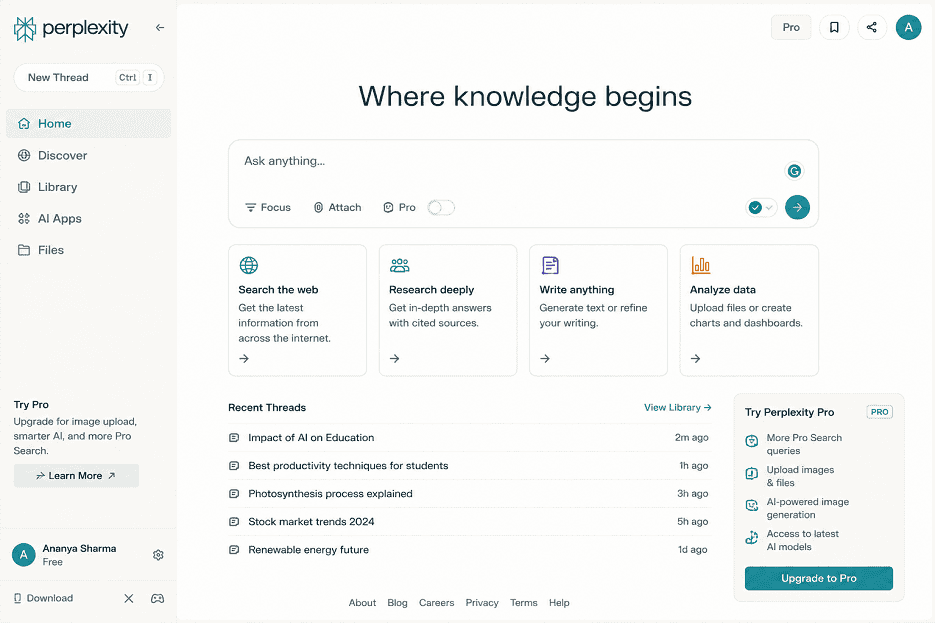
- Find sources quickly
- Summarize articles
- Compare viewpoints
- Understand topics faster
It also links directly to references and helpful for making assignments and projects.
Features:
Here are some best features of Perplexity AI:
- Help in AI-powered research answers
- Source references
- It has web linked overviews
- quick topic research
- Support for follow-up questions
Here are some Pros & Cons of Perplexity AI
Pros:
- It is faster than traditional search
- Includes references
- Helpful for making assignments
- It’s good for topic understanding
- And clean interface
Cons:
- Some answers still need fact-checking
- Its free version has limits
- Not good for deep academic citations
Finally, it is best for research assignments, quick learning, article summarization and concept learning.
Napkin AI – Best for Turning Ideas into Visual Notes
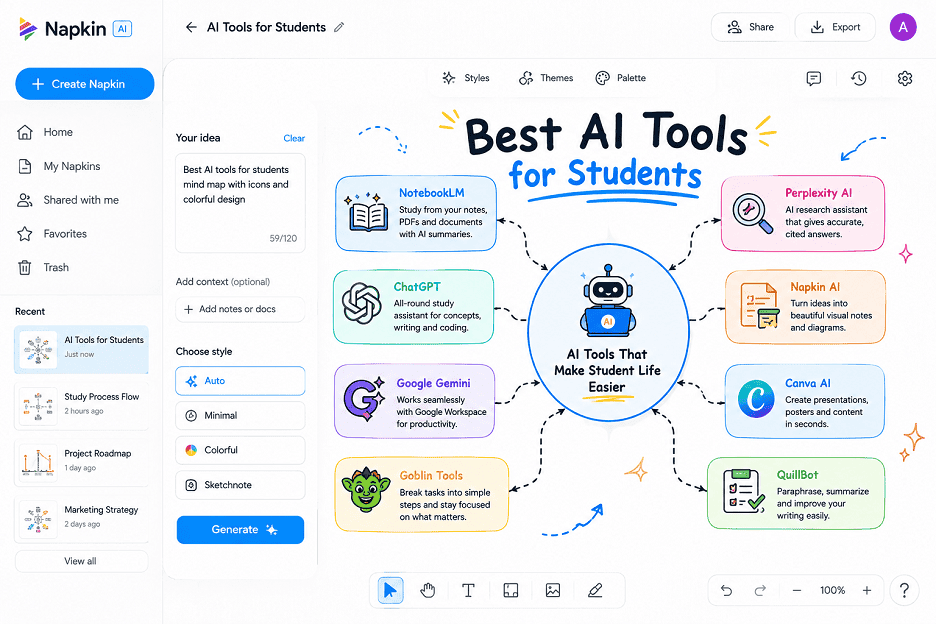
Napkin AI is one of those tools that feels remarkably satisfying to use or converts rough text ideas into visual diagrams, flowcharts, concept maps and presentation-style visuals automatically.
Features:
Here are some best features of Napkin AI:
- Helps create AI-generated diagrams
- Easy flowchart creation
- Visual note conversion
- Concept mapping for ideas
- Professional presentation graphics
Here are some Pros & Cons of Napkin AI
Pros:
- Easy to use
- Saves time in diagram creation
- Very helpful for visual learners
- Useful for presentations
- Good for idea generation
Cons:
- Limited advanced customization
- Paid
- Some layouts need manual editing
Finally, it is best for project planning, visual notes, presentation preparation and concept explanation.
Wolfram Alpha – Best AI Tool for Math & Problem Solving
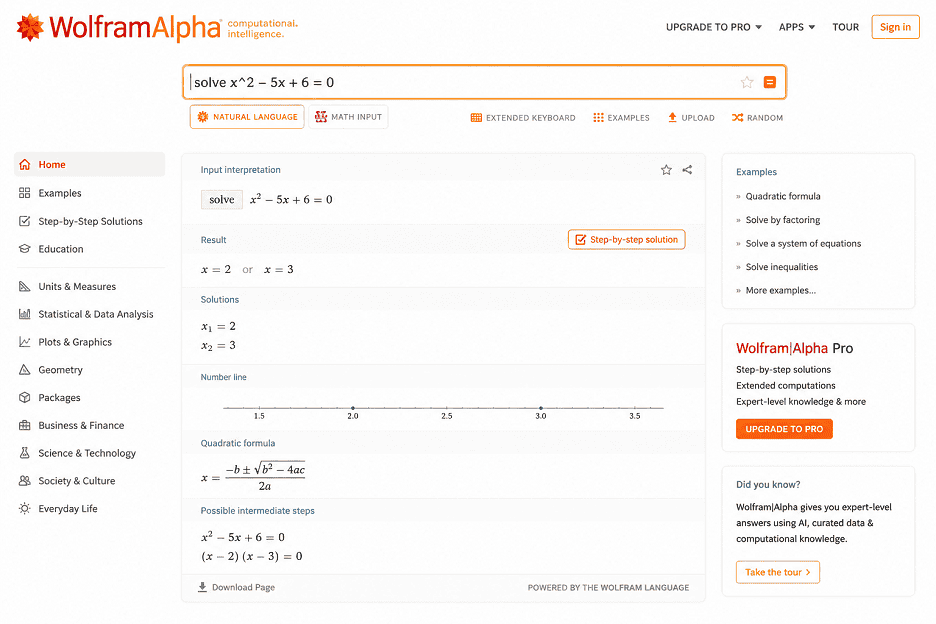
Wolfram Alpha has existed for years, but most students still underestimate how powerful it is. Helpful for step-by-step not just final answers for subject’s mathematics, statistics, physics, chemistry and engineering to solve algebra and statistics problems and explain easily. So it is one of the smartest educational AI tools online.
Features:
Here are some best features of Wolfram Alpha:
- With the help of solve math problems Step-by-step
- Formula explanations make easy
- Great graph plotting ideas
- Scientific calculations step by step
- Technical subject support easily
Here are some Pros & Cons of Wolfram Alpha
Pros:
- It has strong calculation accuracy
- It is very helpful for STEM students
- Gives step-by-step explanations
- It is very useful for statistics & algebra
- It is best for basic calculators
Cons:
- Interface feels technical initially
- Some advanced features are paid
- It is less effective for non-technical subjects
Finally, it is best for mathematics, engineering, statistics, physics and technical problem solving subjects.
Final Words
There are many AI tools launching every month, but most students don’t need many apps. Because few best useful tools are already used for:
- Improve productivity
- Reduce stress
- Save time
- Make studying more manageable
If you’re looking for the best free AI tools for students in 2026, start with NotebookLM and Perplexity AI.
- NotebookLM
- Perplexity AI
- ChatGPT
- Google Gemini
- Goblin Tools
Those are most popular for student daily life use in 2026.
FAQ’s:
Can AI tools improve productivity for students?
Yes, many students use AI tools for:
- Reduce repetitive work
- Arrange study material deeply
- Make revision notes
- Brief lectures
- Manage submission dates
ChatGPT and Goblin Tools are specifically useful for productivity-focused workflows.
Which AI tool is best for writing assignments?
- ChatGPT helps with creative thinking and organizing concepts
- QuillBot improves readability and rewriting
- Wolfram Alpha best AI Tool for Math & Problem Solving
Read Also >>> Is ChatGPT Down Right Now?


Post Comment