Snapchat Solar System Explained: Planet Order & Meanings
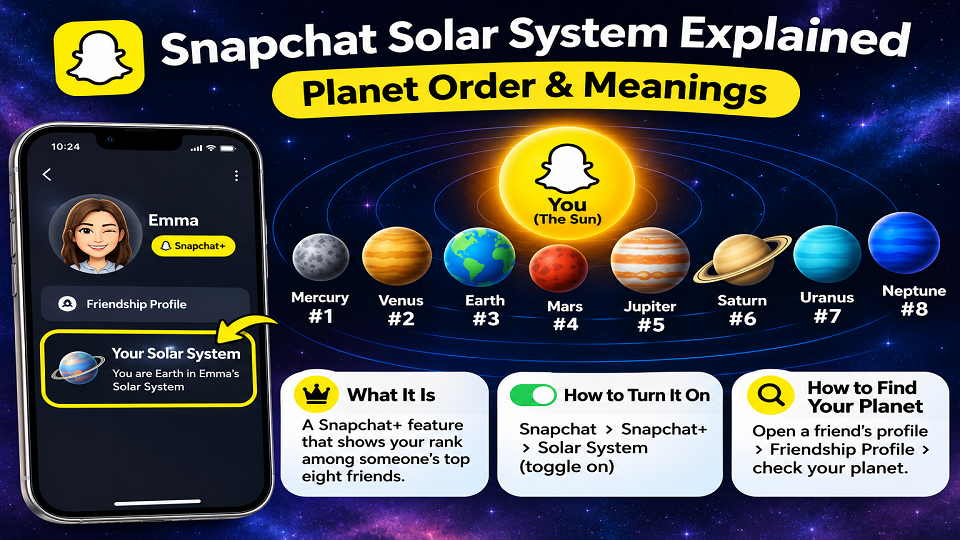
Quick answer: The Snapchat Solar System (Snapchat calls it Friend Solar System) is a Snapchat+ feature that shows where you rank among someone’s top eight friends. The planets follow the real solar system order, with Mercury at #1 and Neptune at #8. Snapchat hasn’t published how the ranking is calculated, and your planet can change whenever your chatting habits do.
You open a friend’s profile, spot a tiny planet, and suddenly you need to know which one you are. Fair enough. That little jolt of curiosity is exactly what the Snapchat Solar System was built to create.
The problem is that most explainers stop at “Mercury is number one.” Here you’ll get the full Snapchat Solar System order, a calmer way to read your orbit, the steps to switch the feature on, and a straight account of what Snapchat does and doesn’t say about how it works.
What Is the Snapchat Solar System?
Picture the Best Friends emoji list in a space costume. Instead of a heart next to a name, Snapchat+ members get a small solar system built around themselves. You’re the Sun. Your closest friends circle you, one planet each, eight at most.
The feature came with Snapchat’s paid subscription, Snapchat+, which is why it goes by several names: Snapchat Planets, Friend Solar System, or simply the solar system Snapchat shows on certain profiles. They’re all the same thing. One detail trips people up, though. The planet on a friend’s profile shows your place in their list, not the other way round.
Snapchat Solar System Order: All Eight Planets
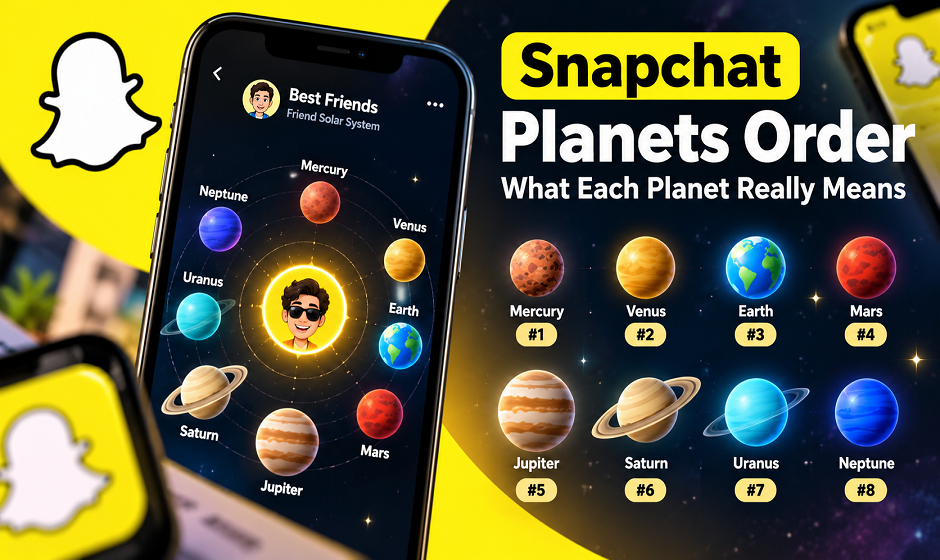
The order copies the real one, counting outward from the Sun. Closer planet, closer friend. Pluto is missing, but that’s no surprise: the International Astronomical Union reclassified it as a dwarf planet in 2006, and Snapchat only has eight slots anyway.
| Planet | Rank | Fun fact from space | Rough way to read it |
| Mercury | #1 | Shortest year of any planet, about 88 Earth days | Their most-contacted person right now |
| Venus | #2 | Hottest planet, thanks to a thick atmosphere | Right behind the top spot |
| Earth | #3 | The only planet we know has life | Firmly in the inner circle |
| Mars | #4 | The red neighbour everyone sends probes to | Regular, easy contact |
| Jupiter | #5 | Biggest planet in the system | Solid middle of the pack |
| Saturn | #6 | Famous for its rings | Friendly, less frequent |
| Uranus | #7 | Spins tilted on its side | On the edge of the top eight |
| Neptune | #8 | Farthest from the Sun | Last seat in the list, still inside it |
One caution. Snapchat only says the planet marks your rank. The last column is a loose interpretation, not an official definition. For the space facts, NASA’s solar system pages are a good place to read more.
How to Read Your Orbit Without Overthinking It
Eight planets are a lot to remember. Splitting them into three rings makes it easier.
The inner ring: Mercury, Venus and Earth
These are the people someone messages most on Snapchat. Landing here means you’re part of their everyday rhythm of snaps and chats. Nice to see, sure, but it measures app activity, not affection. Plenty of close friends barely open Snapchat.
The middle ring: Mars, Jupiter and Saturn
Comfortable territory. You’re in regular touch without being the first person they open. Most healthy friendships sit right here.
The outer ring: Uranus and Neptune
Seeing Neptune can sting, especially on a bad day. Turn it around, though: out of everyone on their friends list, you made the top eight. And Neptune needs roughly 165 years to circle the Sun, while Mercury does it in under three months. Inner planets move quickly, and so do Snapchat rankings. A busy week of chatting with someone else can reshuffle everything.
How to Turn On the Snapchat Solar System
You need an active Snapchat+ subscription first. Even then, the feature may be off by default for new subscribers, so check.
- Open Snapchat and tap your profile icon in the top-left corner.
- Tap your Snapchat+ membership card.
- Look for the Solar System (or Friend Solar System) option in the feature list.
- Switch it on.
Menus move around between app versions. If your screen looks different, look for “Solar System” inside the Snapchat+ settings instead of hunting for an exact button, and see Snapchat Support for the latest steps. Availability can also vary by device and country. Before paying, check the price shown in your own app store, since it differs between India, the US and elsewhere. For a bigger picture of what the subscription includes, see our guide to Snapchat Planets Order.
How to See Your Planet on a Friend’s Profile
With the feature on, open your friend’s profile and head to their Friendship Profile. Find the Best Friends or Friends badge with a gold ring, tap it, and Snapchat reveals which planet you are in that person’s system. Digital Trends walks through the same route.
Some guides describe a slightly different path, such as pressing and holding a friend’s Bitmoji in the chat list. Which one works depends on your app version.
Best Friends badge vs Friends badge
Android Authority explains the difference like this: a Best Friends badge means you appear in each other’s solar systems, while a Friends badge means you appear in theirs but they don’t appear in yours. So the second badge hints that the attention isn’t perfectly mutual. That’s all it is, a hint.
How Does Snapchat Decide Who Becomes Which Planet?
Be careful what you trust here. Snapchat hasn’t published its exact criteria, a point Digital Trends also makes. Some sites list tidy “ranking factors” in order of importance, but nothing from Snapchat confirms those lists, so treat them as guesses.
What we can say fairly safely: rankings update as your activity changes, and messaging someone more than your other friends tends to lift them in your list. No secret trick exists. Chasing a better planet usually just makes conversations feel forced.
The Side Nobody Mentions: Pressure, Teens and Parents
A friendship ranking is fun right up until it isn’t. Safety and parental-control sites have pointed out that younger users may read a low planet as a verdict on their popularity, and that worry is easy to understand. A visible number next to a name turns casual chatting into something that feels graded.
Parents might find it more useful to ask their teen how the feature makes them feel than to simply ban it. Snapchat’s parent resources cover the app’s family tools. And if you notice yourself checking planets too often, you can switch Friend Solar System off in the Snapchat+ settings. Related reading: Snapchat privacy settings worth checking today.
Can’t See Your Planet? Quick Fixes
- No Snapchat+: the feature is subscriber-only, so this is the most common reason.
- Feature switched off: go back to the Snapchat+ card and check the Solar System toggle.
- Not in their top eight: if you aren’t ranked in their visible list, there’s simply no badge to tap.
- Outdated app: update Snapchat from your app store and reopen it.
Snapchat Solar System FAQs
What is the Snapchat Solar System order?
Mercury (#1), Venus (#2), Earth (#3), Mars (#4), Jupiter (#5), Saturn (#6), Uranus (#7) and Neptune (#8).
Which planet is best on Snapchat?
Mercury, because it marks the top position. Even so, it reflects Snapchat activity rather than how close you are in real life.
Can my planet change?
Yes. Rankings shift as you and your friends snap and chat, so Mercury today can become Mars next month.
Is the solar system Snapchat shows me accurate?
It’s a reasonable snapshot of activity, but Snapchat doesn’t publish its formula, so don’t treat it as a precise measure of friendship.
Final Thoughts
The Snapchat Solar System is a playful way to see who you talk to most, nothing more. Glance at your orbit, enjoy it, then go and actually talk to the people who matter to you.
Which planet are you in your closest friend’s orbit? Tell us in the comments, and share this guide with the friend who keeps asking. Want more app explainers? Browse the latest on Tech Exploria.