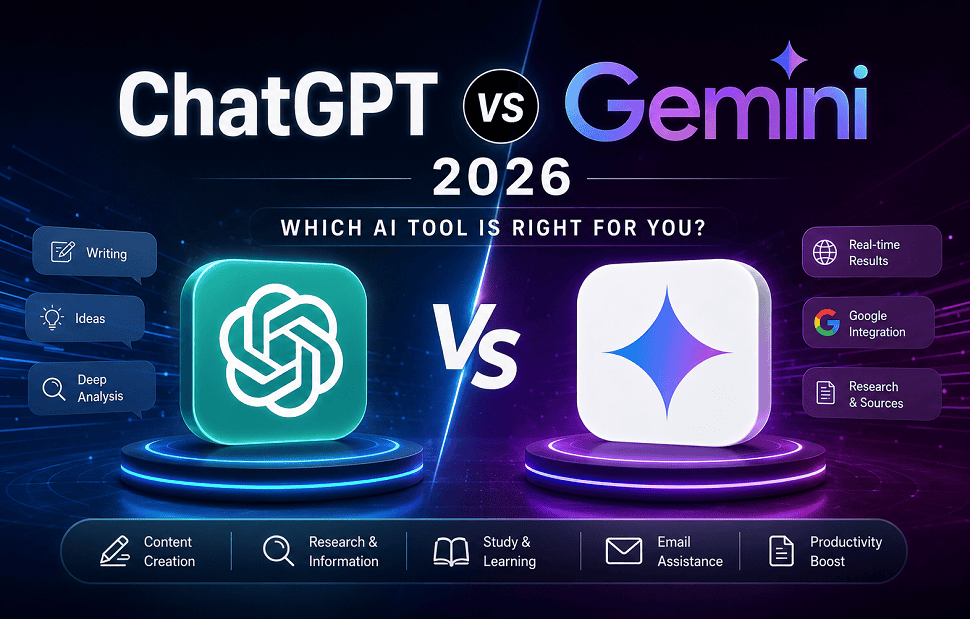
Most articles tell you which AI is “better” after comparison. I’m going to tell you which one I actually kept open during my experiment.
Why I Started This Experiment
Truly? I was frustrated.
I kept switching between ChatGPT vs Gemini depending on what I needed – and I had no clear answer. Some days ChatGPT felt brilliant. Other days Gemini genuinely surprised me. So I stopped guessing and decided to track both AI tools continuously for 30 days.
No predictions, no reviews, just real work, real results and all that I saw myself.
First Week – The “Getting Comfortable” Phase
When I first opened ChatGPT, it felt like talking to a very smart friend who loves to explain things. Ask it anything – it gives you a full, readable answer. Sometimes too full. It tends to over-explain.
Google Gemini seemed different from day one. It’s more like a research assistant than a conversation partner like Shorter answers, more direct, less personality – but in a good way when you just need facts fast.
My first week Notice: When you want to think out explain ideas step by step then ChatGPT is better. When you just need an answer then Gemini is good for you.
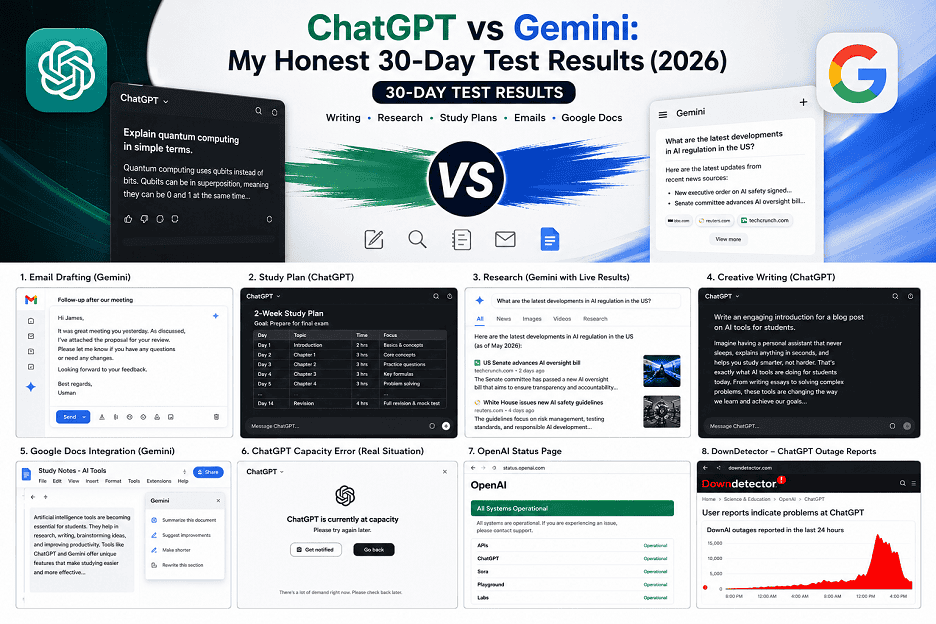
A Task That Surprised Me More – Email Drafting
I had to write a follow-up email to my potential client. This is completely routine task.
I gave same prompt both tools: “Please write a professional follow-up email after first meeting with my potential client.”
ChatGPT gave me three paragraphs answer, conversational and little generic but easy to edit.
Gemini gave me a shorter email – but it automatically pulled text from my Gmail draft I had open. It knew who I was writing to.
At that moment I am shocked. I didn’t ask him to do that. He just did it on his own.
Winner for email: Gemini
Study Planning – Where ChatGPT Completely Won
I was preparing for an exam and asked both tools to make me a 2-week study plan.
ChatGPT broke it down day by day, estimated time each topic, suggested which topic to handle first based on difficulty and also added a revision day at the end. It’s like a real tutor made that plan.
Gemini gave me a clean list – accurate, yes – but it felt like a table of contents, not a plan.
For anything that requires thinking like a human – study plans, exploring ideas, creative writing so finally ChatGPT is still the tool I trust more.
Winner for study planning: ChatGPT
Research Tasks – I Found Biggest Difference
This is where things got interesting.
I asked both: “What are the latest developments in AI Rule in the US?”
ChatGPT gave me strong answer but added a Warning – this information has a deadline. It spoke clearly about what it did not know.
Gemini showed live results connected to Google Search and gave me last week’s articles. It even linked directly to sources.
For any research work where novelty matters, Gemini is actually more useful. It’s basically a smart Google search.
But I noticed one thing – Gemini’s answers sometimes seemed like summaries of search results, not analysis. ChatGPT actually considers information rather than just reporting it.
Winner for research: Gemini for current information and ChatGPT for deep analysis.
The Creativity Test – Writing a Blog Introduction
I gave the same prompt to both tools: “Write an engaging introduction for a blog post on AI tools for students.”
ChatGPT version had personality. It had an interesting beginning, piqued curiosity and felt like it was written by a real author.
Gemini’s introduction was technically correct, but it looks like it was taken from a template. Readable but forgettable.
I’ve seen this pattern consistently – whenever a task requires voice, emotion or storytelling ChatGPT wins every time.
Creative Writing Winner: ChatGPT – by a wide margin.
The Google Docs Moment That Changed My Opinion
When I was halfway through my 30-day trial and editing a long document in Google Docs then I realized I could ask Gemini to summarize it, rewrite some parts, or suggest improvements – without copying and pasting anything.
That one feature saved me about 45 minutes that day.
If you already use Google Docs, Sheets, or Gmail daily, Gemini’s integration is a real game changer. ChatGPT cannot provide this feature without additional steps.
Winner for Google Workspace users: Gemini – there’s no competition here.
Pricing – What You Actually Get for Free
Both tools have free versions available. Here’s what I’ve seen in real-world use:
| ChatGPT Free (chatgpt.com): | Gemini Free (gemini.google.com): |
| 1. Powered by GPT-4o | 1. Powered by Gemini 2.5 Flash |
| 2. Messages are limited during busy times | 2. More flexible for daily use |
| 3. Free users can access features like browsing, file uploads, and image generation. | 3. Works for free within Google products |
| 4. Limits are exceeded faster than expected during peak hours. | 4. Advanced features require Google AI Pro, which costs $19.99/month |
Let’s be honest: for students on a budget, Gemini free version is more useful. ChatGPT free version is good, but you’ll quickly reach a limit.
What I Actually Use Each Tool for Now
After 30 days, my personal workflow looks like this:
| Task | My favorite tool |
| 1. Writing blog drafts | ChatGPT |
| 2. Researching current news | Gemini |
| 3. Study plans and outlines | ChatGPT |
| 4. Summarizing long documents | Gemini |
| 5. Email drafting (Gmail users) | Gemini |
| 6. Brainstorming ideas | ChatGPT |
| 7. Quick factual questions | Gemini |
| 8. Learning a new concept | ChatGPT |
My honest opinion
After using both tools every day for 30 days, I realized they solve different problems. ChatGPT feels like a thinking partner, while Gemini feels like a smart extension of Google.
| Choose ChatGPT (chatgpt.com) if: | Choose Gemini (gemini.google.com) if: |
| 1. You write a lot – blogs, essays, emails | 1. You work a lot on Google – Docs, Gmail, Drive, YouTube |
| 2. You need a discussion partner, not just answers | 2. You need real-time, up-to-date information |
| 3. You learn best through conversation | 3. You want to incorporate AI into your existing workflow |
| 4. You use many different apps and tools | 4. You want a more generous free plan |
My personal preference: I use both. ChatGPT for writing, Gemini for research. Together, they meet all my needs.
FAQ
Which is better for students – ChatGPT or Gemini?
ChatGPT is better for study plans, understanding concepts and assignments. Gemini is better for research papers and current information. Most students will benefit from both.
Is Gemini free to use?
Yes, a good free version of Gemini is available at gemini.google.com. Advanced features require Google AI Pro, which costs $19.99 per month.
Is ChatGPT free?
Yes, the free version available at chatgpt.com uses GPT-40, which has daily limits. ChatGPT Plus costs $20 per month and offers higher limits.



1 comment